microsoft released windows 11-kb5094149-kb5095971-kb5094156 setup recovery updates in June 2026 as a major move to solidify operating system deployment stability. These hotfixes arrived directly alongside the standard June Patch Tuesday pipeline. By introducing these unique Dynamic Update packages, the tech giant aims to streamline system image management and fortify the underlying recovery structures of both consumer and commercial computers.

Unlike conventional cumulative patches, these newly published Dynamic Update components are designed to modify existing offline installation files before deployment. They serve a vital purpose in ensuring that critical infrastructure upgrades do not accidentally drop vital background data. For instance, the system ensures that user-defined language packs and crucial system features remain intact throughout the entire migration cycle.
Technical Breakdown: Why microsoft released windows 11-kb5094149-kb5095971-kb5094156 setup recovery updates
When looking at the internal mechanics, the packages target two distinct areas of the OS: the initial installation setup files and the recovery partitions. The primary motivation for deploying these updates is to resolve potential edge-case crashes that can brick systems during large-scale automated updates. This is especially true for enterprise networks deploying customized system images.
Furthermore, these packages are highly important for maintaining the integrity of Features on Demand (FODs). For instance, in the modern Windows 11 24H2 environment, tools like VBScript are classified entirely as external FOD assets. Without these specific Dynamic Updates, major OS overhauls could accidentally wipe out these tools, leading to application errors post-installation.
Dynamic updates ensure that your system images maintain structural integrity, automatically preserving Language Packs and critical Features on Demand before a major deployment phase even begins.
| Update Code | Target OS Version | Primary Function |
|---|---|---|
| KB5094149 | Windows 11 24H2 / 25H2 | Safe OS Dynamic Update for WinRE environment |
| KB5095971 | Windows 11 23H2 | Setup Dynamic Update for installation binaries |
| KB5094156 | Windows 11 23H2 | Safe OS Dynamic Update for WinRE environment |
Understanding Windows Recovery Environment (WinRE) Improvements
A major focus of the June rollout lies within the Windows Recovery Environment (WinRE) improvements. WinRE is the standalone fallback system partition that takes over when a computer refuses to boot normally or encounters a fatal blue-screen error. Keeping this partition stable ensures that troubleshooting utilities can successfully repair system errors.
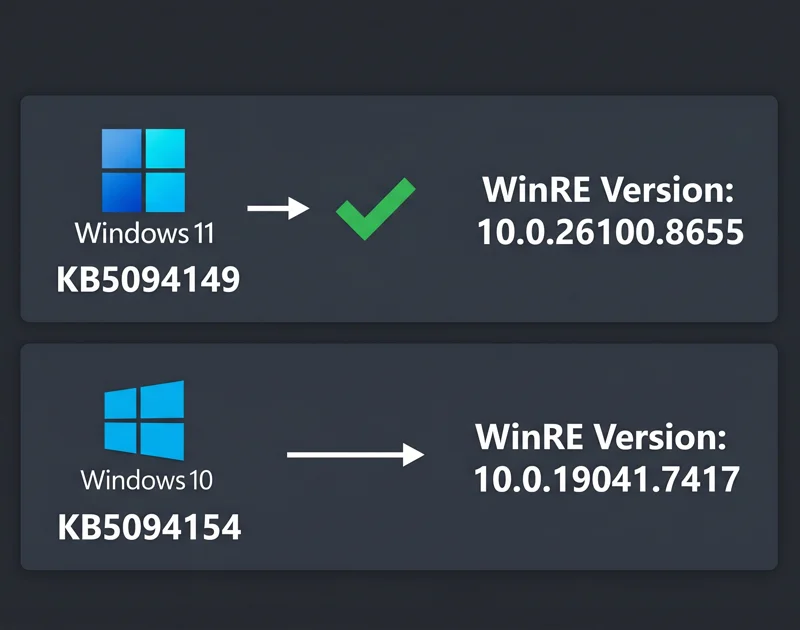
The update changes the underlying target versions of the active WinRE binaries. For example, installing KB5094149 pushes the internal system revision code up to version 10.0.26100.8655. This change addresses critical storage-driver vulnerabilities that previously caused recovery loops on newer NVMe storage drives.
The Operational Impact of the June 2026 Dynamic Update Packages
For standard users, the delivery method of these updates is designed to be completely hands-off. Microsoft notes that both recovery and setup improvements will download and install automatically via the standard consumer Windows Update channel. There is no need to manually dig through catalog menus unless you are manually modifying a custom enterprise deployment image.
For IT administrators, the scenario is slightly different. Since microsoft released windows 11-kb5094149-kb5095971-kb5094156 setup recovery updates, deployment tools like WSUS and SCCM must be updated to slipstream these packages into live installation media. Failing to apply these fixes to existing base images can lead to unbootable recovery partitions down the line.
By automatically upgrading the internal WinRE binary versions across old and new generations, Microsoft is actively shrinking the boot-loop vulnerability window for hundreds of millions of modern PCs.
| Legacy Update Code | Target Platform | Target Binary Version |
|---|---|---|
| KB5094154 | Windows 10 21H2 / 22H2 | 10.0.19041.7417 |
| KB5094153 | Windows 10 1809 / Server 2019 | 10.0.17763.8880 |
How Legacy Platforms Benefit From the New Patches
Surprisingly, Microsoft has extended these critical recovery enhancements well beyond modern operating systems. The software giant simultaneously deployed patches targeting older operating systems, including Windows 10 and Windows Server 2016 platforms. This ensures that enterprise infrastructures running older server farms remain fully protected against recovery data loss.
For instance, Windows 10 users running versions 21H2 and 22H2 will automatically receive KB5098815. This package applies the required Safe OS updates to running machines without requiring a full reinstall. This continuous cross-generation support highlights how vital the fixes are to the overall security posture of the ecosystem. To track ongoing update history, you can reference official notices published directly on the Microsoft Support Portal.
Frequently Asked Questions
Why exactly has microsoft released windows 11-kb5094149-kb5095971-kb5094156 setup recovery updates?
These dynamic packages were released to improve the reliability of the Windows installation binaries and stability features inside the automated recovery environment.
Do standard consumer PCs need to download these new packages manually?
No. Microsoft pushes both the setup and recovery updates automatically to all compatible machines using the built-in Windows Update channel.
What exactly is a Safe OS Dynamic Update packet?
It is a special hotfix package that alters the background recovery environment files (WinRE) to prevent operating system deployment failures.
What specific version does KB5094149 upgrade the recovery partition to?
After successfully applying KB5094149 on Windows 11 24H2 or 25H2, your internal WinRE binary structure updates cleanly to version 10.0.26100.8655.
What happens to my custom Language Packs during a major operating system upgrade?
Thanks to these newly deployed dynamic updates, your pre-installed Language Packs and Features on Demand are safely locked and preserved.
Are there matching recovery hotfixes out there for older Windows 10 machines?
Yes. Microsoft simultaneously deployed equivalent Safe OS packages, like KB5094154, to safeguard legacy versions and active enterprise server nodes.
Why are these packages specifically crucial for tools like VBScript in 2026?
Since modern systems treat older features like VBScript as optional Features on Demand, these patches ensure that OS upgrades do not wipe them from the drive.
Disclaimer: This article is for informational purposes only. Modifying deployment media, altering base OS binaries, or applying automated hotfixes should always be executed in accordance with official guidelines provided by Microsoft.