As the digital landscape evolves in 2026, google photos adds new touch up tools for quick fixes, effectively revolutionizing the built-in Android image editor experience. Google announced the global rollout of these sophisticated, yet incredibly user-friendly editing features designed to give smartphone photographers granular control over their portrait shots. By integrating these robust capabilities directly into the native gallery application, Google is making a bold play to dominate the mobile editing space and eliminate the need for users to bounce between different software applications just to perfect a selfie.
The Feature Drop: What’s New in the Android Image Editor
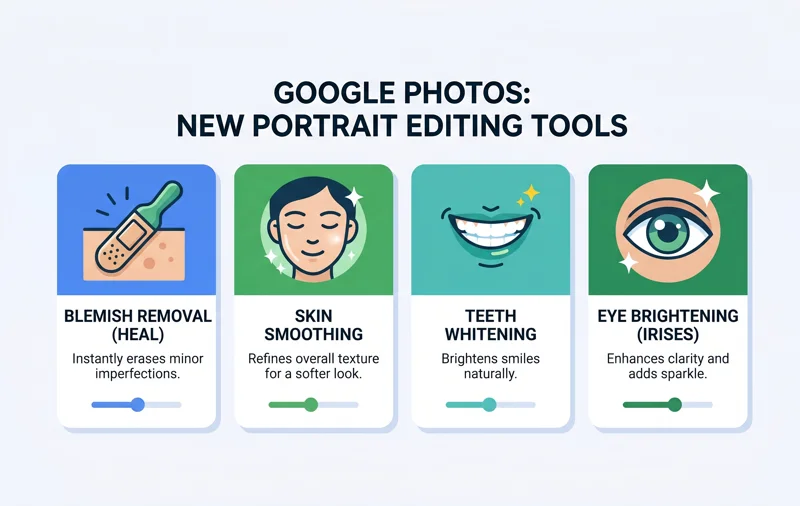
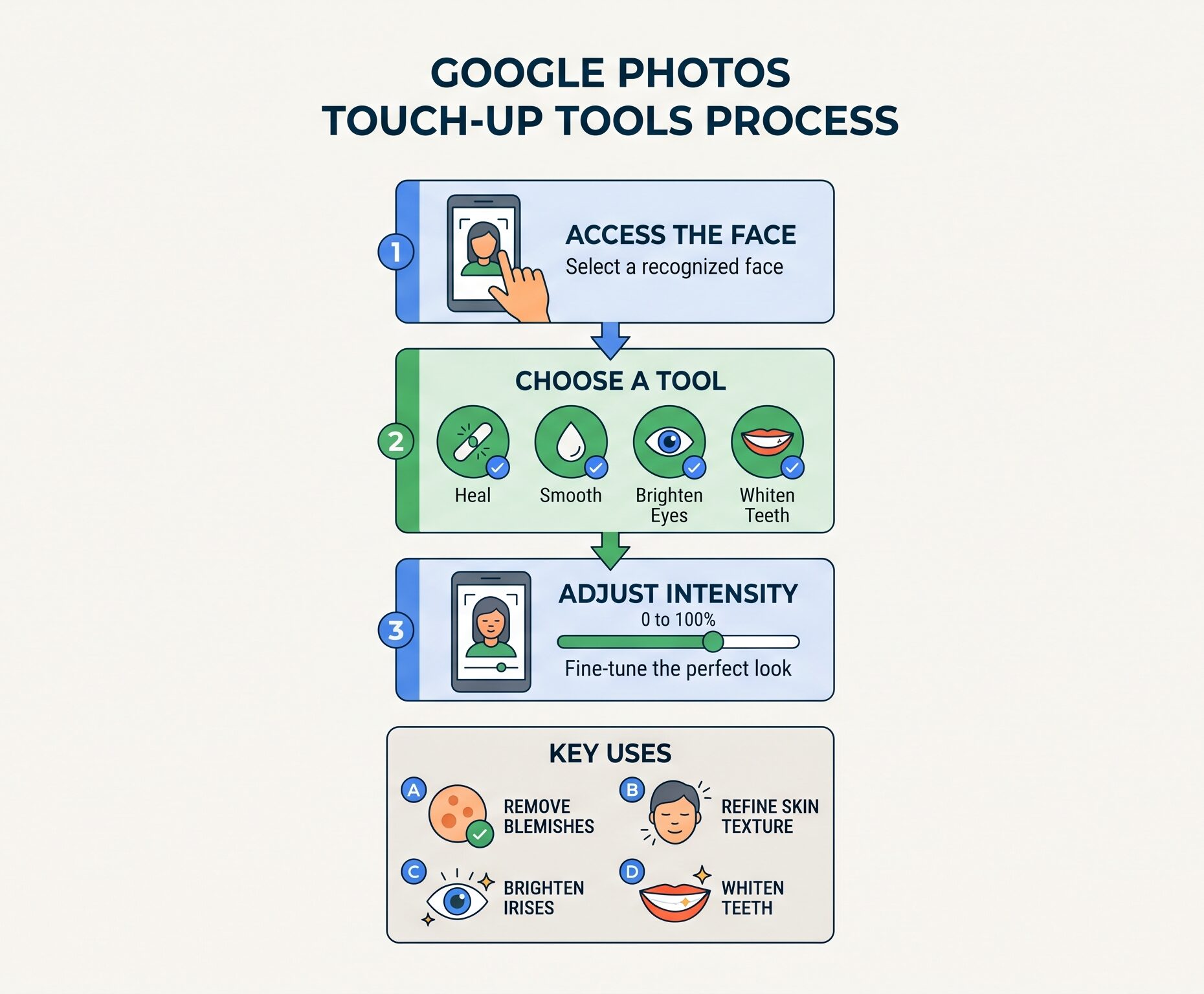
The latest update transforms Google Photos from a simple cloud backup service into a powerhouse for portrait refinement. Users can now apply subtle, localized edits previously reserved for dedicated, heavily monetized third-party applications. By simply selecting a recognized face within an image, the app presents a suite of targeted enhancement options. These new selfie retouching features are designed with simplicity in mind, offering a sliding scale to adjust the intensity of each effect so the final result looks natural rather than overly processed.
| Touch-Up Tool | Primary Function | Intensity Control |
|---|---|---|
| Heal / Blemish Removal Tool | Erases spots and minor imperfections seamlessly. | High (AI-driven blending) |
| Smooth | Refines overall skin texture for a softer look. | Slider (0-100) |
| Teeth & Irises | Provides a bright teeth whitening effect and eye clarity. | Slider (0-100) |
The rollout is highly optimized but does come with specific hardware requirements. To process these AI-driven edits smoothly, the new tools are progressively rolling out to Android devices equipped with at least 4 GB of RAM and running Android 9.0 or higher. This ensures that the local processing power is sufficient to handle the complex rendering required for realistic skin texture refinement and accurate blemish removal without crashing or lagging the device.
“By embedding professional-grade retouching natively, Google is fundamentally altering the mobile photography workflow, keeping users engaged within a single ecosystem.”
The Bigger Picture: Ecosystem Control vs. Third-Party Apps
From a strategic business standpoint, the motivation behind this update is crystal clear. For years, users have relied on an ecosystem of third-party photo editing apps to achieve specific looks, often paying monthly subscriptions for a reliable blemish removal tool or advanced color grading. Google’s integration of these features is a calculated move designed to maximize user retention. If you can shoot, backup, and flawlessly edit your portraits in one place, the incentive to download external software drops dramatically.
| Feature Set | Google Photos (Native) | Third-Party Photo Apps |
|---|---|---|
| Cost | Free (Built-in) | Often requires premium subscriptions |
| Privacy | Governed by Google’s overarching privacy policies | Variable; often involves invasive data tracking |
| Workflow | Seamless, auto-backed up instantly | Requires exporting, importing, and saving duplicates |
The Psychological Cost of the “Perfect” Selfie
While the technological achievement is impressive, the introduction of easily accessible, frictionless retouching tools carries significant psychological implications. It is crucial to address the darker side of digital perfection. Mental health professionals and researchers have continuously pointed out that the normalization of altered digital identities can be harmful. Easy access to a teeth whitening effect, jawline slimming, or skin smoothing can skew our perception of reality.
Studies show that constantly engaging in photo manipulation to hide perceived flaws is heavily linked to negative emotional states. It can exacerbate body dysmorphia, lower self-esteem, and create unrealistic aesthetic standards, particularly among younger demographics. For a deeper dive into the psychological impacts of social media and photo editing, you can read more from the American Psychological Association.
“The pursuit of digital perfection through constant retouching often leads to a profound disconnect with our authentic physical selves, breeding modern anxieties.”
| Aspect of Retouching | Potential Benefits | Potential Drawbacks |
|---|---|---|
| Accessibility | Quick fixes save time and effort. | Encourages obsessive, micro-level self-scrutiny. |
| Aesthetic Control | Allows users to present their preferred image. | May lead to homogeneous, unnatural beauty standards. |
| Platform Integration | Centralized ecosystem reduces app clutter. | Further locks users into the tech giant’s ecosystem. |
Ultimately, Google’s latest feature drop is a massive win for convenience and a direct threat to standalone selfie editing applications. By offering these premium touch-up tools directly inside the native gallery, Google ensures that users remain firmly planted within its ecosystem. However, as the line between reality and digital enhancement continues to blur, it remains up to the individual user to utilize these powerful tools responsibly.
Frequently Asked Questions
What new features did Google Photos just release?
Google introduced new touch-up tools including a blemish removal tool, skin smoother, teeth whitener, and adjustments for under eyes, irises, lips, and eyebrows.
How do I access the new touch-up tools in Google Photos?
Open an image containing a face, tap the edit button, select the face, and choose from the available touch-up options located in the tools menu.
Can I adjust the strength of the skin smoothing effect?
Yes, once you select a tool like smooth or heal, you can use a slider to manually adjust the intensity of the applied effect.
Are these tools available for iPhone users?
Currently, the global rollout is targeted at the Google Photos app on Android devices. iOS availability may follow later.
What are the minimum system requirements for my phone?
To use these advanced features, your Android device must have at least 4 GB of RAM and be running Android 9.0 or higher.
Why is Google adding these tools natively now?
Google aims to keep users within its ecosystem, preventing them from navigating away to third-party photo editing apps to achieve basic touch-ups.
Are there negative effects to constantly editing selfies?
Yes, psychological studies suggest that frequent use of selfie retouching features can contribute to body image issues, low self-esteem, and negative emotional states.
Disclaimer: This article is for informational purposes only. The features mentioned are subject to Google’s rollout schedule and may vary by device. Discussions on mental health reflect general psychological research and are not medical advice.