
The Apple Claris Harbor App is currently shaking up the tech industry by turning standard computers into private AI powerhouses. In 2026, privacy and localized computing are more important than ever for developers and enterprise businesses.
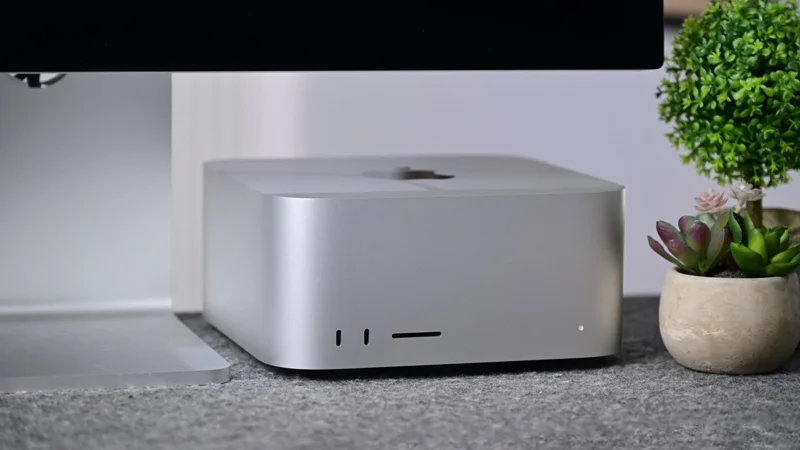
Apple’s Claris subsidiary is actively testing this unreleased software to revolutionize how we handle artificial intelligence. This tool specifically targets users who want to run open-weight models locally on Apple silicon.
By leveraging this new technology, your sensitive data never has to leave your hardware. Nothing reaches the cloud, ensuring absolute data security for professionals handling confidential information.
Why the Apple Claris Harbor App is Revolutionizing Local AI
The Apple Claris Harbor App operates seamlessly with a single Apple silicon Mac, but its true power lies in its scalability. It officially supports connecting multiple Mac computers over Thunderbolt 5.
This high-speed connection pools unified memory for much larger, complex models. Apple recently added RDMA over Thunderbolt 5 with macOS Tahoe 26.2, which makes hardware clustering significantly faster and more efficient.
With this setup, the Apple Claris Harbor App turns your Mac into a private AI inference server without requiring deep technical knowledge. You can literally set up a massive cluster in minutes, not hours.
“The ability to pool unified memory across multiple Macs over Thunderbolt 5 completely changes the landscape for local AI inference.”
How the Apple Claris Harbor App Simplifies AI Clustering
Unlike complex command-line setups, the Apple Claris Harbor App automatically detects your devices connected over Thunderbolt 5 to form an instant cluster.
You simply plug in your machines, start the program, and you are running. There is absolutely no manual configuration or heavy infrastructure expertise required to get started.
Users can browse, download, and load open-weight models directly from within the intuitive application interface. The software handles all model management behind the scenes, letting you focus entirely on your workflow.
| AI Processing Method | Data Security Level | Setup Complexity |
|---|---|---|
| Traditional Cloud AI | Low (Data leaves your device) | Low (Requires active internet) |
| Apple Claris Harbor App | High (Data stays strictly local) | Low (Plug-and-play user interface) |
| Command-Line Local Tools | High (Data stays strictly local) | High (Requires advanced coding skills) |
Comparing the Apple Claris Harbor App to Existing Market Alternatives
There are already well-known, free alternatives for Mac users wanting to build a local AI server. Tools like Exo are popular open-source options for clustering, while LM Studio works incredibly well for a single machine.
However, the Apple Claris Harbor App appears to combine the incredibly simple user interface of LM Studio with the advanced clustering power of Exo.
This creates a hybrid Claris AI infrastructure tool that appeals to both beginners and advanced enterprise environments. For more insights on the broader Claris ecosystem, you can visit the official Claris Website.
“By combining seamless clustering with a zero-configuration interface, this app bridges the gap between consumer simplicity and enterprise computing power.”
Will the Apple Claris Harbor App Be Geared Toward Businesses?
Because Claris is widely known for its database platform FileMaker, industry experts believe the Apple Claris Harbor App will lean heavily into enterprise markets.
The early access sign-up page specifically asks for a company name when registering. This strongly suggests a business-focused approach, though future pricing models remain a mystery to the public.
Whether it will be a free utility for macOS users or a premium enterprise service, the Apple Claris Harbor App represents a massive leap in localized, privacy-first computing capabilities.
| Software Tool | Primary Use Case | Hardware Clustering Support |
|---|---|---|
| LM Studio | Single-Mac use with a simple UI | No support for clustering |
| Exo | Open-source clustering infrastructure | Yes (but requires manual configuration) |
| Apple Claris Harbor App | Enterprise clustering with an easy UI | Yes (Automated via Thunderbolt 5) |
Frequently Asked Questions About the Apple Claris Harbor App
What exactly is the Apple Claris Harbor App?
It is a newly tested software application from Apple’s subsidiary, Claris, designed to effortlessly turn Apple silicon Macs into private, local AI inference servers.
Do I need multiple Macs to use the Apple Claris Harbor App?
No, it works perfectly on a single Apple silicon Mac, but it has the built-in capability to connect multiple Macs to scale up your AI processing power drastically.
How does the clustering feature work?
It connects two or more Mac computers via high-speed Thunderbolt 5 ports, pooling their unified memory together to easily handle large open-weight AI models.
Does my data get sent to the cloud when using the Apple Claris Harbor App?
No, all data processing happens locally on your hardware, ensuring complete privacy, compliance, and security for your models and workflows.
Is the Apple Claris Harbor App available to the public right now?
No, it is currently in an early access testing phase and is not yet publicly available for download on the standard Mac App Store.
Do I need coding experience to configure the server?
Not at all. The app is designed to be fully plug-and-play, detecting devices automatically without any command-line interactions or manual network configuration.
Will the Apple Claris Harbor App be free?
Apple has not officially announced pricing details yet. Because Claris usually targets businesses, it may be part of a paid enterprise suite or subscription model.
Disclaimer: This article is for informational purposes only. The software mentioned is currently in early access testing, and its final features, pricing, and availability are subject to change by the developer.