The snapseed camera geotag functionality has officially arrived for Android users, marking a massive milestone for mobile photographers in 2026.
For years, users of this powerful editing suite had to sacrifice location tracking if they chose to shoot directly within the app.
With the rollout of version 4.1.1.x, Google has completely transformed the in-app camera experience by introducing vital location metadata capabilities.
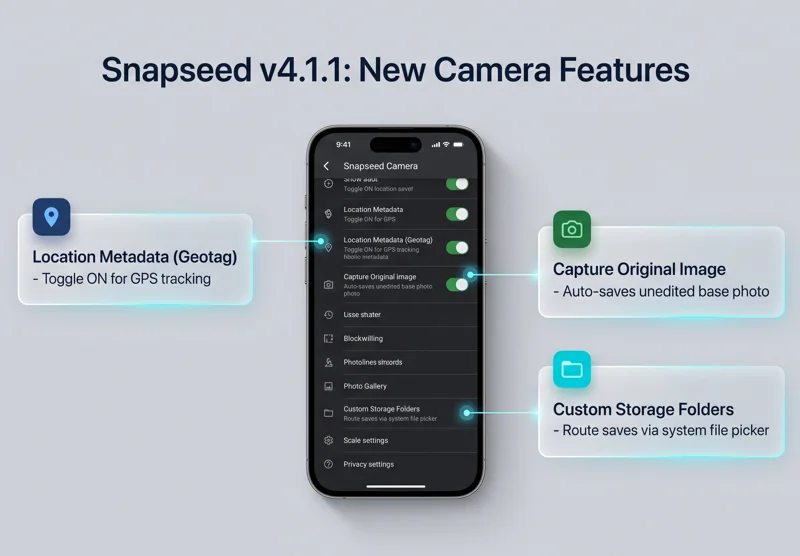
Alongside this highly requested tracking feature, the latest Snapseed Android update introduces robust options for saving your unedited base files safely.
Understanding the snapseed camera geotag Feature
Implementing the snapseed camera geotag is a straightforward process designed to respect user privacy and data preferences.
By default, this new location tracking setting is turned off to ensure your geographical data remains private until you explicitly opt in.
To enable location metadata geotagging, users simply need to navigate to the Snapseed Camera settings menu.
Tapping the new toggle will immediately open your Android system prompt, asking you to grant the necessary GPS permissions to the application.
| Feature Name | Default Status | Primary Purpose |
|---|---|---|
| Location Metadata (Geotag) | Disabled (Off) | Records GPS coordinates to image EXIF data. |
| Capture Original for Re-editing | Enabled (On) | Preserves the unedited base photo automatically. |
| Custom Save Folders | Manual Setup | Allows routing of files via system file picker. |
“The addition of location metadata brings professional photo organization directly to your favorite mobile editing suite, keeping your travel memories perfectly mapped.”
Pairing the snapseed camera geotag with Original Image Saves
While the snapseed camera geotag helps organize your images geographically, the new save settings protect your creative workflow.
The “Capture original for re-editing” feature is enabled by default in the latest update.
If you enjoy shooting with built-in Film Styles or Looks, the app will now automatically save the pristine, base image in the background.
This means you can always return to a clean slate for future edits without losing the moment you captured.
Folder Management and the snapseed camera geotag Workflow
Another major quality-of-life improvement accompanying the snapseed camera geotag is superior file management.
The new preferences provide a highly requested option to select exactly where images taken by the app’s camera are stored.
Using the standard Android system file picker, you can easily create dedicated new folders specifically for your edited projects.
This keeps your primary camera roll clean and ensures your Snapseed creations are perfectly organized.
| Recent App Upgrades | User Benefit |
|---|---|
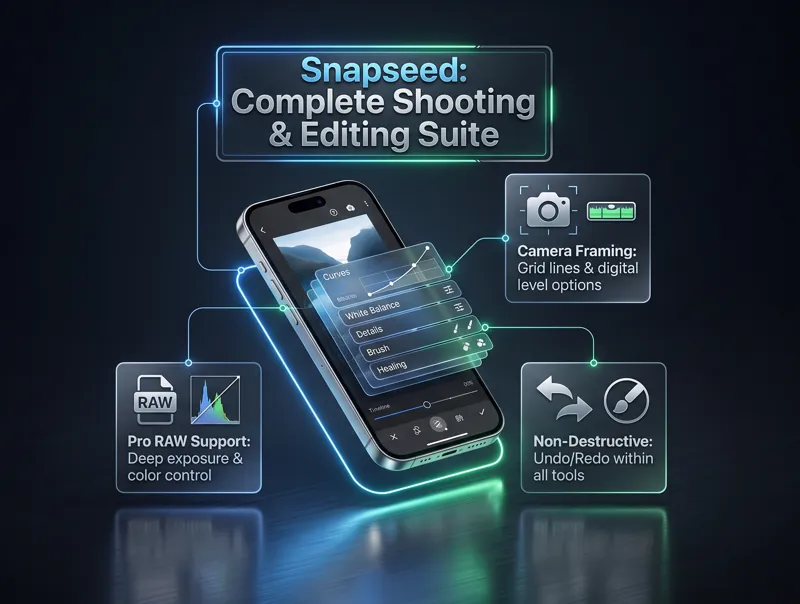
| Grid Lines & Level Options | Ensures perfectly straight horizons while shooting. |
| Expanded RAW Support | Allows deep color and exposure editing for pros. |
| Undo/Redo in Tools | Provides granular control over individual editing steps. |
“By saving the unedited base image alongside your distinct film styles, Snapseed ensures your original moments are never permanently overwritten by heavy edits.”
Why the snapseed camera geotag Matters for Photographers
The introduction of the snapseed camera geotag completes the app’s transformation into a standalone camera replacement.
Combined with the recent additions of grid lines, level options, and an expanded RAW support photo editor, the tool is more capable than ever.
You can even undo and redo specific tweaks while actively using most tools, offering unprecedented flexibility.
For official documentation on these features, you can visit the Google Snapseed Help Center.
Ultimately, the snapseed camera geotag ensures that your mobile photography workflow remains as professional and organized as possible.
Frequently Asked Questions
What exactly is the snapseed camera geotag feature?
It is a new setting that embeds location metadata into the EXIF data of photos taken directly within the Snapseed app, allowing you to see exactly where a photo was captured.
Is the snapseed camera geotag enabled automatically?
No, for privacy reasons, the Location Metadata toggle is turned off by default. You must manually enable it in the Camera Settings.
Does Snapseed save my original unedited photo?
Yes, with the new update, the “Capture original for re-editing” option is turned on by default, ensuring your base image is saved when using Film Styles.
Can I choose where my Snapseed photos are saved on Android?
Absolutely. The new update allows you to use the system file picker to select or create specific folders for your Snapseed exports.
Which version of Snapseed includes these new features?
These features, including the location metadata and custom folders, are rolling out widely with version 4.1.1.x of Snapseed for Android.
Does Snapseed now support RAW editing on Android?
Yes, a recent update earlier this month vastly expanded RAW support within the editor, giving users more control over high-quality image files.
What other camera features were recently added alongside the snapseed camera geotag?
The app recently introduced helpful grid lines and level options to assist with framing, as well as the ability to undo and redo edits while inside specific tools.
Disclaimer: This article is for informational purposes only, and we are not affiliated with any financial or governmental institution mentioned.