If you have been experiencing frustrating glitches on your Google device recently, the newly released pixel update fixes wireless charging camera zoom and more, bringing a wave of stability to the Android 16 ecosystem. Brands have generally been improving their update cadence across the board, but Google remains virtually unmatched when it comes to delivering prompt, comprehensive software patches directly to its user base. While users generally celebrate the arrival of new features and aesthetic tweaks, the reality of modern software development is that sometimes, sweeping OS updates can inadvertently break background processes that were previously functioning flawlessly. This is exactly what happened with the recent rollout, but the tech giant has swiftly responded to community feedback.
Critical Bug Fixes You Need: Addressing the Core Issues
Before rushing into any major system overhaul, it is always wise to exercise caution, as unpredictable reactions can occur depending on hardware variations and carrier modifications. However, the May 2026 release is one you will want to download immediately. Targeted at supported Pixel phones running Android 16, starting with the Pixel 7 series and moving upward, this patch addresses a highly specific list of user-reported grievances that have been plaguing the community forums over the past few weeks.
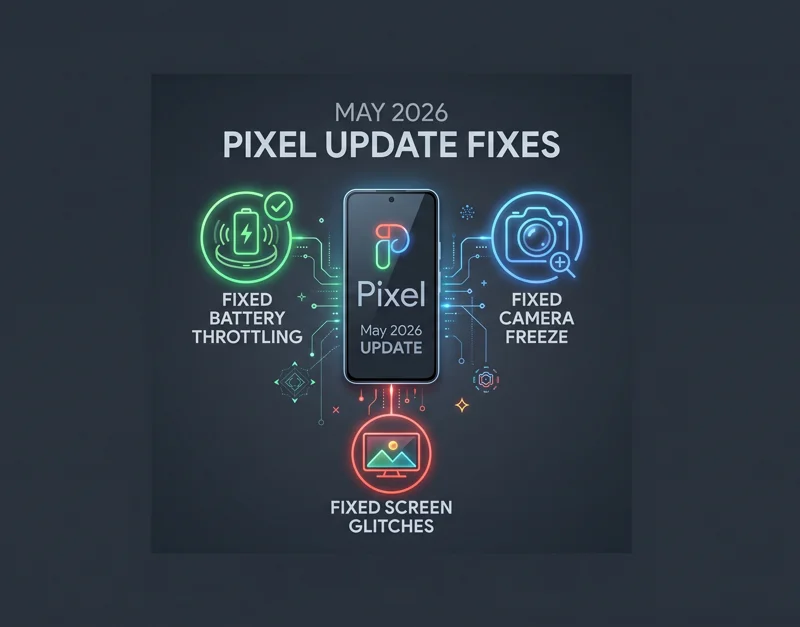
One of the most widely discussed problems was a perplexing battery throttling issue. Users noticed significant slowdowns when attempting to juice up their devices wirelessly. Google identified that under certain environmental conditions, specifically when the battery capacity hit the 75% to 80% threshold, the charging speed would plummet abnormally. This update completely resolves that thermal management miscalculation, restoring the swift power delivery users expect from premium flagship hardware.
| Issue Description | Affected Battery Range | Resolution in May 2026 Patch |
|---|---|---|
| Severe throttling of wireless charging speeds | 75% – 80% capacity | Optimized thermal thresholds to maintain consistent charging wattage |
“Software updates are the lifeblood of the modern smartphone experience, turning frustrating hardware glitches into distant memories with just a simple system reboot.”
Equally critical is the resolution of a severe multimedia glitch. Content creators, vloggers, and casual videographers alike were encountering a devastating bug where the default camera application would completely lock up and freeze. This freezing specifically triggered when users attempted to adjust the zoom level dynamically while actively recording video. Missing a crucial moment because the software panicked during a simple lens transition is incredibly frustrating, making this fix a top priority for the development team.
| Application | Trigger Action | System Response (Pre-Patch) |
|---|---|---|
| Native Camera App | Zooming in/out during active video capture | Total application freeze requiring a hard restart |
Addressing Display Artifacts and UI Instability
Beyond power and optics, the May 2026 update delves deep into visual performance and user interface stability. A bizarre artifact issue had been frustrating a subset of users, presenting itself as a persistent, flickering white dot or a band of visual noise anchored near the top of the display. This was not a physical hardware failure, but rather a rendering anomaly triggered under highly specific system loads. The newly released patch eliminates this visual distraction entirely.
Furthermore, intermittent reports of the entire screen appearing fuzzy, frozen, or overlaid with vertical noise lines have been successfully tackled. These display anomalies can often make a device feel permanently broken, causing unnecessary panic for everyday consumers. By patching the display driver logic within the Android 16 framework, Google ensures a crisp, reliable visual experience across the board.
“The seamless integration of software and hardware is what defines the Pixel brand, making prompt bug squashing an absolute necessity for maintaining consumer trust in Google’s ecosystem.”
Finally, on the UI front, an irritating input glitch has been eradicated. Users had reported numerous instances where the on-screen keyboard or input menus would randomly freeze or spawn in incorrectly positioned areas, overlapping other UI elements and making typing virtually impossible without restarting the current application. This system update restores standard input behavior across all native and third-party applications.
| Component Type | Reported Symptom | Impact Level |
|---|---|---|
| Display Driver | Flickering white dot, fuzzy screen, noise lines | High (Visual Distraction) |
| Input Method | Keyboard freezing or incorrect positioning | Critical (Usability Block) |
Rollout Details: When Will Your Device Get It?
As with all major software deployments, Google has clarified that the rollout will occur in planned phases. The timeline for receiving the over-the-air (OTA) notification could span a few weeks. The exact delivery date depends heavily on your specific device model, your geographical region, and crucially, the carrier network you are operating on. Carrier testing often adds a slight delay to the distribution process. At this time, the release is strictly designated for Pixel 7 devices, Pixel 8 devices, and the newer generation models running the latest Android 16 architecture.
| Device Series | OS Requirement | Estimated Rollout Timeline |
|---|---|---|
| Pixel 7 & 7 Pro | Android 16 | Rolling out now (Carrier dependent) |
| Pixel 8 & 8 Pro | Android 16 | Rolling out now (Carrier dependent) |
| Pixel 6 Series & Older | N/A | Not eligible for this specific patch |
To check if the update is available for your handset, navigate to your device Settings, scroll down to System, and select System Update. If the update is ready for your specific IMEI, you will be prompted to download and install it immediately. Ensure your device is connected to a stable Wi-Fi network and has at least a 50% battery charge before initiating the installation process to prevent any potential software corruption or bricking scenarios.
What’s Next: Looking Ahead to Google I/O 2026
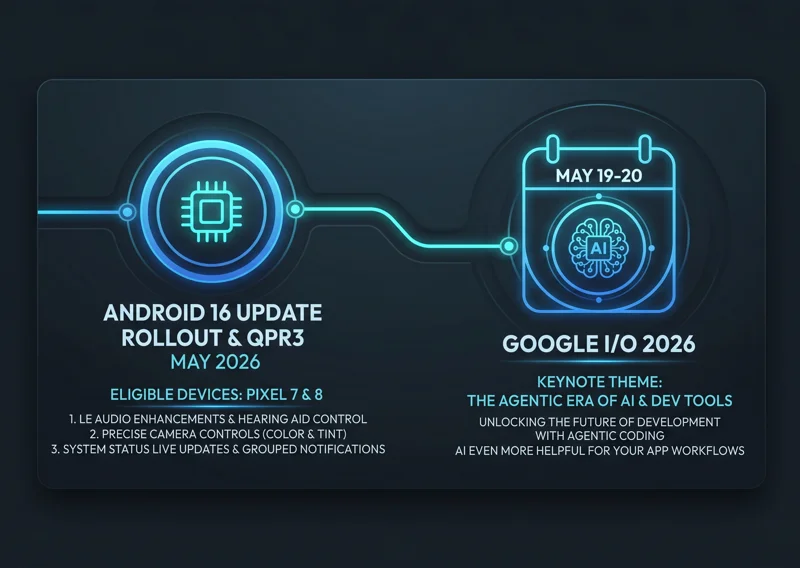
While bug fixes are essential for maintaining the day-to-day usability of our devices, the broader tech community is currently buzzing with anticipation for what comes next. Later this month, Google will host its highly anticipated Google I/O developer conference, scheduled for May 19 and 20. This monumental event serves as the primary stage for showcasing the brand’s upcoming software innovations, hardware teasers, and the broader roadmap for the entire Android ecosystem.
To stay updated on the official announcements directly from the source, developers and enthusiasts regularly monitor Google’s official blog for deep dives and press releases. The I/O conference is expected to be heavily focused on the next iteration of the operating system and the pervasive integration of advanced Artificial Intelligence across all user touchpoints.
“The future of Android isn’t just about faster processing speeds; it’s about ambient computing and AI seamlessly predicting user needs before they even arise.”
The Evolving Landscape of AI in Android
The introduction of advanced on-device AI has breathed new life into once-stagnant product categories. We are witnessing a massive paradigm shift where smartphones are transitioning from simple communication tools into autonomous, proactive intelligent assistants. AI models are becoming increasingly adept at taking complex, time-consuming workloads—such as computational photography, real-time language translation, and predictive text generation—and streamlining them to be practically invisible and effortless for the end user.
Naturally, not every experimental feature unveiled in public beta tests makes it to the final consumer release. Some ideas fail to resonate, while others prove too resource-intensive for current mobile chips. However, the trajectory is crystal clear: AI is fundamentally reshaping the Pixel experience. With Android evolving at a breakneck pace, the excitement is reaching a boiling point. The next major platform update is slated for launch in the coming months, promising massive structural changes to how we interact with our digital lives. Keeping your current device fully updated with the May 2026 patch is the best way to ensure your hardware is primed and ready for the massive AI-driven features on the horizon.
Frequently Asked Questions
What exactly does the May 2026 Pixel update fix?
The update primarily fixes a severe wireless charging slowdown issue that occurred between 75% and 80% battery capacity, a major bug that caused the camera app to freeze during video zooming, and several display glitches including flickering white dots and frozen keyboards.
Which devices are eligible for this specific May update?
The May 2026 software patch is currently rolling out to supported Google devices running Android 16, specifically targeting the Pixel 7 series, the Pixel 8 series, and newer hardware iterations.
Why is my wireless charging so slow on my Pixel phone?
Prior to this update, a software logic glitch caused the charging speed to throttle aggressively when the battery reached the 75% to 80% mark. Installing the latest May 2026 patch resolves this thermal management error completely.
Will this update fix the weird visual lines on my screen?
Yes, the official patch notes specifically mention resolving a display driver issue that intermittently caused the screen to appear fuzzy, freeze, or show disruptive visual noise lines under certain system conditions.
How long does it take for the update to reach my specific phone?
Google states that the OTA rollout occurs in phases over a few weeks. The exact timing depends on your specific device model, your geographical region, and the testing timeline of your cellular carrier.
How do I manually check for the latest Pixel update?
You can manually check for the latest software by going to your device Settings, scrolling down to System, selecting System Update, and tapping the “Check for update” button on the screen.
What can we expect from the upcoming Google I/O 2026 conference?
Scheduled for May 19 and 20, Google I/O is expected to showcase the future of the Android ecosystem, heavily focusing on deep on-device AI integration, new tools for developers, and upcoming OS features.
Disclaimer: This article is for informational purposes only. Software update rollouts are managed by Google and individual carriers; actual availability and feature performance may vary based on your specific hardware model and network configuration.