The tech world is officially buzzing with excitement because more gemini features are coming to google tv, fundamentally changing how households interact with their largest screens. Announced in a major wave of 2026 updates, Google is bringing its powerhouse artificial intelligence directly to your living room. Instead of merely passively consuming content, users will now have access to generative AI tools alongside a dedicated short-form video feed that seamlessly integrates YouTube Shorts right onto the main home screen.
This rollout is positioned to make the television a shared, interactive hub for family and friends. Initially, these powerful tools are launching on Gemini-enabled TCL TVs in the United States, with broader device support expected to expand across other manufacturers later in the year.
Generative AI on the Big Screen: Enter Nano Banana and Veo
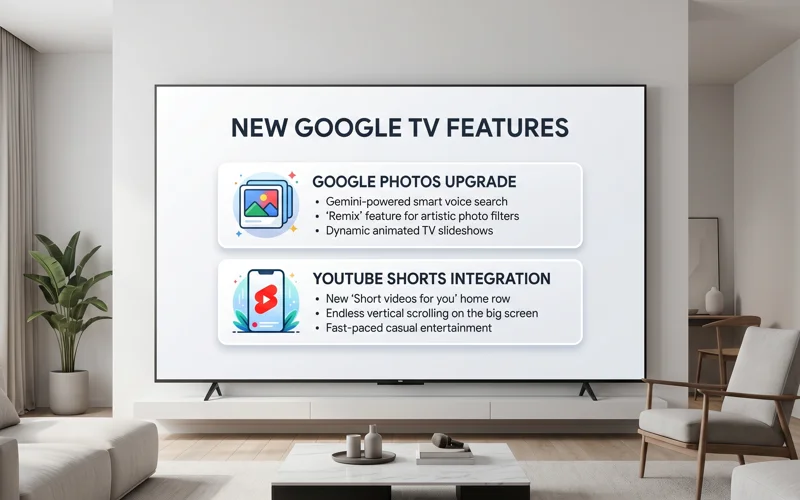
At the very center of this massive operating system update is the brand-new Gemini tab. Within this interface, users will find a prominent “Create” button, unlocking access to two of Google’s most impressive generative AI models: Nano Banana and Veo. By utilizing simple voice prompts via the remote control, anyone can become a digital creator from the comfort of their couch.
| Generative AI Tool | Primary Function | User Example Prompt |
|---|---|---|
| Nano Banana | Image generation and advanced photo editing | “Make my dad wear a ridiculous clown outfit.” |
| Veo | Video clip creation and still-image animation | “Make my grandfather moonwalk in space.” |
Nano Banana, Google’s sophisticated image-generation and editing model, allows users to transform existing photos instantly. You can swap outfits, alter backgrounds, or generate entirely new conceptual scenes. Google is heavily marketing this as a shared social experience, encouraging users to input playful prompts to get a laugh out of the whole room.
Veo takes this creativity a step further into motion. This tool enables users to create short, highly detailed video clips entirely from scratch or animate existing still images by simply describing a scenario to the television.
“By bringing Nano Banana and Veo to the largest screen in the house, Google is transforming the traditional passive TV viewing experience into a collaborative, AI-driven creative studio.”
A Massive Upgrade for Google Photos
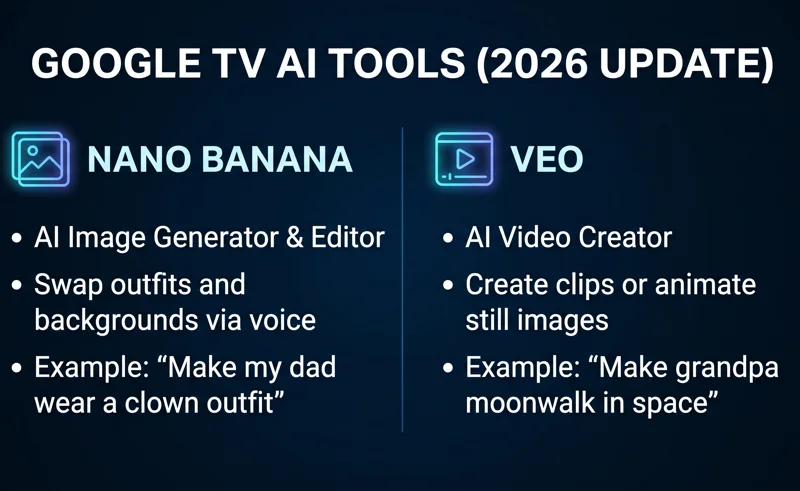
Beyond generating new media, Google TV is also revamping how you view your past memories. The Google Photos integration is receiving a substantial upgrade powered by Gemini’s contextual search capabilities. Users no longer need to endlessly scroll through thousands of thumbnails to find a specific memory. You can now use voice commands to instantly surface specific events, like “show me photos from our 2025 beach vacation” or “find pictures of Sarah’s 10th birthday party.”
These search results are presented in an easily browsable, TV-optimized format. Additionally, a new “Remix” feature allows users to apply stunning artistic filters—such as watercolor or thick oil painting textures—to their personal photos. To complete the aesthetic overhaul, “Dynamic Slideshows” will introduce animated layouts, decorative frames, and custom color treatments, turning any Google Photos album into a vivid, professional-grade screensaver.
The New Short-Form Experience: YouTube Shorts Integration
While AI is the headliner, Google is also leaning heavily into shifting viewer habits. A brand-new “Short videos for you” row is being added directly to the Google TV home screen. This section will primarily feature highly curated content from YouTube Shorts, bringing the addictive, endless-scroll experience of mobile devices directly to the big screen.
| Home Screen Feature | Content Type | Impact on Viewing |
|---|---|---|
| Gemini “Create” Tab | Interactive AI Media | Encourages active, shared family engagement |
| Short Videos For You Row | Vertical YouTube Shorts | Caters to quick, casual entertainment habits |
This strategy is particularly interesting given that YouTube recently introduced a mobile option to temporarily hide Shorts, indicating a divided audience. However, Google is betting big on the living room format, hinting that this dedicated short-form row could eventually integrate other platforms. With Instagram having already expanded its app to Google TV devices in the U.S. earlier this year, the competition for short-form television dominance is just beginning.
“The introduction of the ‘Short videos for you’ row proves that the fast-paced, vertical video format has officially graduated from the smartphone and conquered the living room.”
Looking Ahead
As these features continue to roll out across the United States and eventually the globe, it is clear that the definition of television is rapidly evolving. For the latest technical details and device compatibility lists regarding this operating system update, you can monitor the announcements on the Official Google Blog.
Frequently Asked Questions
What is the new Gemini Create tab on Google TV?
It is a new dedicated hub on the home screen where users can access generative AI tools like Nano Banana and Veo using simple voice prompts via their remote.
What exactly does Nano Banana do on my TV?
Nano Banana is an image-generation model that lets you use your voice to edit existing photos, swap backgrounds, change outfits, or generate entirely new images on your screen.
How does the Veo AI tool work?
Veo allows users to generate short video clips from text descriptions or animate still images, right from their television.
Which televisions are getting these Gemini features first?
The new Gemini AI features are rolling out initially on Gemini-enabled TCL smart TVs located within the United States.
How is Google Photos changing on Google TV?
It is gaining an AI-powered search for finding specific memories easily, a “Remix” feature for applying artistic styles to photos, and “Dynamic Slideshows” for animated screensavers.
Will YouTube Shorts be forced on my TV screen?
Yes, Google is introducing a new “Short videos for you” row directly on the home screen that will feature YouTube Shorts, catering to the popularity of quick, vertical content.
Can I use voice commands to operate these new features?
Absolutely. The entire system is designed around voice prompts, allowing you to speak into your remote to search photos or instruct the AI to generate images.
Disclaimer: This article is for informational purposes only. Feature availability, rollout timelines, and software capabilities are determined by Google and are subject to change based on device hardware and regional restrictions.