
Using the Backglow Customize MacBook Pro Apple Logo app is the ultimate way to personalize the newly returning iconic feature of Apple’s flagship laptops. For years, fans have begged for the return of the illuminated lid, and Apple finally delivered it with the 2026 PROLED XDR displays.
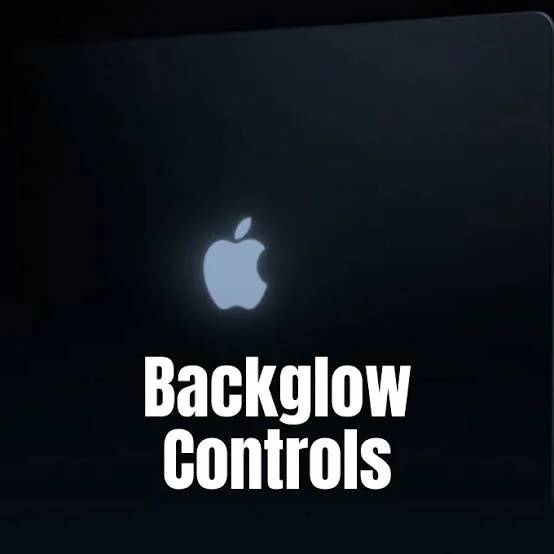
However, Apple’s default settings are surprisingly limited. The logo simply turns on when the device is awake and adjusts automatically via the ambient light sensor. This is where third-party developers step in to give users the control they actually want.
Created by designer Juan Buis, this innovative utility software gives you unprecedented manual control over your machine’s aesthetics. Whether you want to turn it off completely or make it pulse to your favorite songs, the Backglow Customize MacBook Pro Apple Logo software is an absolute must-have.
Why You Need the Backglow Customize MacBook Pro Apple Logo App
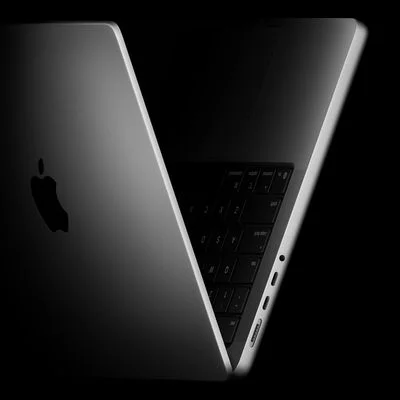
The new 14-inch and 16-inch MacBook Pro models feature stunning PROLED XDR displays. Because these are essentially OLED panels without a traditional backlight, Apple had to engineer a dedicated white LED just to make the logo shine again without adding thickness to the lid.
Because it is a standalone LED, it can be controlled independently from the screen brightness. The Backglow Customize MacBook Pro Apple Logo app taps into this hardware capability, allowing you to bypass macOS system restrictions easily.
“Apple engineered a custom light source just to enable the logo to glow once again, without adding any additional thickness to the lid. Because it is awesome.”
With the free version of the application, users get immediate access to manual brightness sliders. You can finally dim the glowing logo in a dark coffee shop or turn it off entirely with a single click, saving you from typing complex Terminal commands.
| Feature Tier | Available Options | Pricing |
|---|---|---|
| Free Version | Manual Brightness, On/Off Toggle, Breathe Mode | $0.00 |
| Pro Version (Early Bird) | Music Sync Mode, AI Agents Indicator Mode | $9.00 (Limited Time) |
| Pro Version (Standard) | All features including future updates | $15.00 |
Unlocking Pro Features: Backglow Customize MacBook Pro Apple Logo
While the free tier is generous, the Pro version is where the Backglow Customize MacBook Pro Apple Logo tool truly shines. For a one-time payment of $9 (which will later increase to $15), you unlock advanced integrations that make your laptop feel alive.
The “Music” mode is a fan favorite. It connects to your system’s audio output, making the glowing Apple logo pulse and dance to the beat of whatever track you are playing. This feature turns your laptop into a visual equalizer.
Furthermore, the “Agents” mode is perfect for developers. It makes the light pulse while AI tools like Claude Code are processing in the background, and it blinks rapidly when the AI requires your attention.
The Hardware Behind the Backglow Customize MacBook Pro Apple Logo Experience
Older MacBooks simply used the LCD backlight to illuminate the plastic Apple cutout. When you dimmed the screen, the logo dimmed. If you were in the sun, the logo looked washed out.
Today’s technology is far superior. To understand how the Backglow Customize MacBook Pro Apple Logo tool works, we must appreciate the custom LED engineering. You can read more about Apple’s design philosophy on tech blogs like Daring Fireball, which frequently covers these hardware nuances.
“The new custom LED is strictly white and cannot change colors, but its independent brightness control opens the door for incredible software modifications.”
| App Mode | Visual Effect on the Logo |
|---|---|
| Manual Override | Sets a fixed brightness regardless of screen level. |
| Breathe Mode | Gently pulses like the classic Mac sleep indicator. |
| Music Sync | Flashes dynamically to system audio beats. |
| Agents Alert | Pulses during AI tasks and blinks for alerts. |
Maximizing Your Backglow Customize MacBook Pro Apple Logo Setup
If you want to get the most out of your PROLED XDR display glowing logo, downloading this app is the first step. By utilizing the Backglow Customize MacBook Pro Apple Logo settings, you can preserve battery life by keeping the logo off during long flights.
Alternatively, you can show off your machine in a dark studio using the Music mode. The versatility of the Backglow Customize MacBook Pro Apple Logo app proves that Apple’s hardware still has plenty of untapped potential just waiting for clever developers to unlock.
Frequently Asked Questions
What exactly does the Backglow Customize MacBook Pro Apple Logo app do?
It is a third-party application that allows you to manually control the brightness, pulsing, and music-syncing capabilities of the glowing Apple logo on 2026 MacBook Pro models.
Is the Backglow Customize MacBook Pro Apple Logo app free?
There is a free version that includes manual brightness control and Breathe mode. Advanced modes require a one-time Pro upgrade fee.
Can I change the color of the glowing Apple logo using this app?
No, the hardware utilizes a white-only LED, so the app can only control the brightness and flashing patterns, not the actual color.
Does using the Backglow Customize MacBook Pro Apple Logo tool void my warranty?
No, it is simply a software utility that adjusts the LED’s behavior within safe operational limits. It does not require any hardware modifications.
Will this app work on older MacBooks from 2015?
No, older MacBooks relied on the screen’s backlight for illumination. This app specifically targets the independent LED found in the new PROLED XDR displays.
What is the Agents mode in the Pro version?
It is a feature that syncs the logo’s light to background AI tasks, making it pulse while processing and blink when your input is required.
How do I turn the glowing logo off completely without this app?
Without the app, you would have to use complicated Terminal commands. The app simplifies this process into a single, user-friendly toggle switch.
Disclaimer: This article is for informational purposes only. We are not affiliated with Apple Inc. or the developer of the Backglow application.