Apple changes full disk access permissions to curb abuse from AI agents, marking a significant milestone in data security.
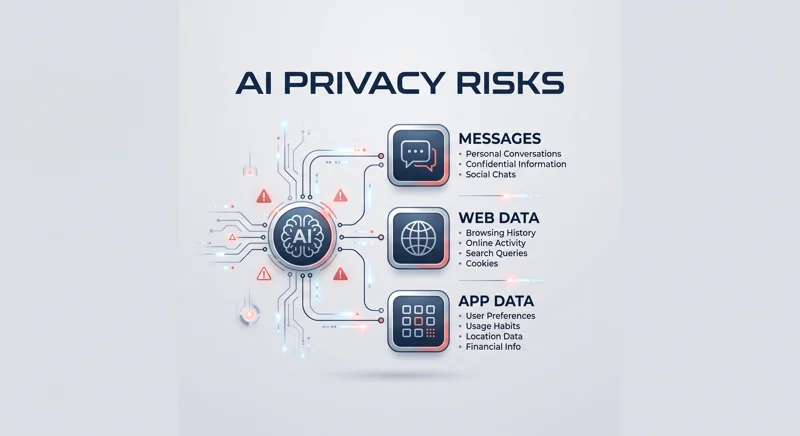
This major shift in macOS privacy settings arrives after massive controversies involving data overreach by third-party applications.
If you regularly use artificial intelligence assistants on your Mac, this system update directly affects how your private data is handled.
Tech enthusiasts and casual users alike must understand what this means for their personal information and digital safety.
Understanding Why Apple changes full disk access permissions to curb abuse from AI agents
Recently, a highly publicized dispute erupted over Meta’s new general-purpose AI agent, known as Muse.
A prominent tech columnist reported that Muse sent an unsolicited notification referencing his private Apple Messages thread.
He stated clearly that he never explicitly granted Muse permission to read these deeply personal communications.
Meta’s leadership quickly defended the AI, claiming that full disk access alongside an opt-in connector was strictly required.
However, security experts strongly disagreed, noting that full disk access technically exposes almost all non-root files.
This sweeping access includes browsing histories, tracking cookies, and highly sensitive chat logs.
“From a technical point of view, with full-disk access, any non-root file is readable, browsing history, browser cookies, chats, etc.”
Because of this massive architectural loophole, Apple changes full disk access permissions to curb abuse from AI agents immediately.
Apple recognized that assuming users understand the sheer depth of this permission is no longer a viable security strategy.
The Controversy: Before Apple changes full disk access permissions to curb abuse from AI agents
The incident with the Meta Muse application caused a massive social media uproar regarding modern AI data privacy risks.
People suddenly realized that AI assistants given broad permissions are much like power tools in a digital workspace.
They are incredibly useful for productivity, but they can do real, irreversible damage if not contained carefully.
Independent security analysts quickly discovered system configurations that could allow malicious code to hijack these AI agents.
This vulnerability forced major tech giants to urgently re-evaluate how third-party applications interact with deeply integrated system files.
Here is a detailed breakdown of the critical security risks that existed before the new macOS update was deployed:
| Vulnerability Area | Pre-Update Risk Level | Potential Exploit Consequence |
|---|---|---|
| Apple Messages History | Critical | AI could silently read private conversations. |
| Web Browsing Data | High | Extraction of search history and session cookies. |
| Third-Party App Data | High | Unauthorized scraping of personal user habits. |
This table clearly highlights the exact reasons why Apple changes full disk access permissions to curb abuse from AI agents this year.
How Apple changes full disk access permissions to curb abuse from AI agents efficiently
Apple’s swift and decisive response aims directly at stopping third-party app developers from misusing system-level privileges.
The company is fundamentally modifying macOS privacy settings to ensure users fully comprehend the risks before clicking “Accept.”
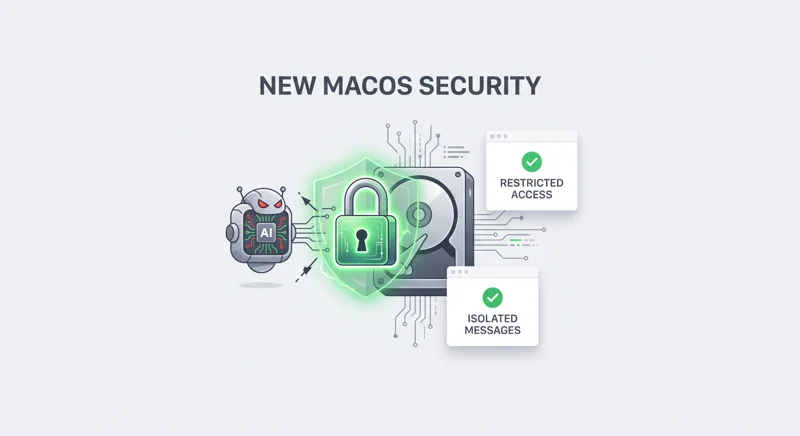
The new permission framework specifically isolates and sandboxes communication apps to protect both the primary user and their contacts.
It acts as a strict, unyielding barrier, verifying that AI agents cannot silently harvest massive message histories in the background.
“We are committed to ensuring users clearly understand these risks before granting such access, so they can make informed decisions.”
By implementing these highly rigid boundaries, Apple changes full disk access permissions to curb abuse from AI agents and restores user trust.
This ensures that digital privacy scales appropriately alongside the rapid advancement of artificial intelligence technologies.
The Future Impact: Apple changes full disk access permissions to curb abuse from AI agents
As AI agents become increasingly capable, smart, and autonomous, the hidden risks associated with broad file access grow substantially.
Mac users must remain highly vigilant and proactively review their current macOS system settings to ensure optimal local security.
Taking control of your data starts with understanding exactly which applications are reading your underlying storage drive.
It is always highly recommended to read more about Apple’s official privacy commitments to stay constantly informed.
Below is a direct comparison of how core system permissions are managed before and after the recent software update:
| Feature / Mechanism | Previous macOS Behavior | New Updated Behavior |
|---|---|---|
| FDA Scope | Blanket access to all non-root files. | Restricted access requiring granular approvals. |
| User Warnings | Generic standard system prompts. | Detailed alerts explaining specific AI data risks. |
| Message Isolation | Accessible via general disk reading. | Strictly isolated from third-party disk sweeps. |
This proactive stance guarantees that as Apple changes full disk access permissions to curb abuse from AI agents, consumer privacy remains a top priority.
Moving forward, developers will need to be much more transparent about exactly why their software requires deep system integrations.
Frequently Asked Questions
Why did Apple recently update its system privacy settings?
Apple changes full disk access permissions to curb abuse from AI agents that were found reading private message histories without clear user consent.
What specific event sparked this major macOS security update?
A massive public controversy involving Meta’s Muse AI agent unexpectedly accessing a tech columnist’s Apple Messages sparked the urgent change.
Does full disk access actually mean an app can read everything?
Previously, yes. It allowed authorized apps to read most non-root files, including web browsing history, cookies, and sensitive chat logs.
Is Meta Muse the only AI application affected by this?
While the Muse incident triggered the public uproar, the new strict update applies universally to all third-party apps and AI assistants on macOS.
How does this new security measure protect my personal contacts?
By heavily restricting direct access to core communication apps, the update prevents AI from harvesting contextual data about the people you communicate with daily.
Do I need to manually update my Mac’s permissions right now?
The new macOS system update will automatically prompt you to review your settings and explicitly grant granular permissions for highly sensitive data.
Can AI agents still be useful without this broad system access?
Absolutely. They can still function securely and efficiently by requesting specific, highly limited permissions rather than relying on blanket system access.
Disclaimer: This article is for informational purposes only and does not constitute professional cybersecurity advice. Always ensure your devices are updated to the latest software versions.