If you’re a T-Mobile customer, you may have scrolled through your detailed usage history and noticed a peculiar entry: a “128 incoming text.” This can be confusing, as you never actually received a readable message on your phone from this number. The question, “what does this 128 text message mean,” is a common one, especially for iPhone users.
Let’s be clear: the incoming text from 128 is a harmless, legitimate internal system code used by the T-Mobile network. It’s a technical log entry, not a message from a person or a scammer. This article will decode the exact meaning of the 128 message, explain why you’re seeing it, and confirm that it’s perfectly safe.
What Exactly Is the ‘Text From Number 128’?
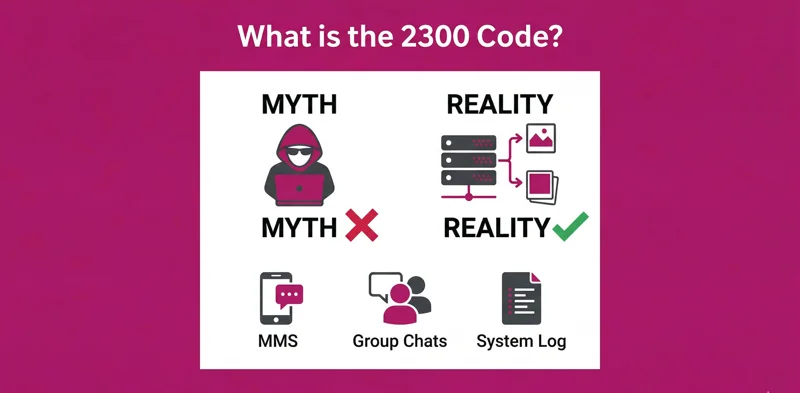
Think of the 128 number text as a digital receipt. Your phone and the T-Mobile network are constantly communicating in the background to ensure services like voicemail and multimedia messaging work correctly. The code “128” is simply a placeholder T-Mobile uses in its billing and usage logs to represent these non-standard communications. You won’t see an actual message in your inbox, but the network event is recorded in your detailed statement.
This is a standard operational procedure for the 128 incoming text message T-Mobile uses to track network activity. It is not a sign that your account has been compromised or that you are being spammed.
Top Reasons You See a 128 Incoming Text Message
While it might seem random, the appearance of a 128 incoming text t mobile log is almost always tied to one of two specific network activities. These events are particularly common on modern smartphones and accounts with multiple devices.
1. Voicemail Notifications (The Most Common Cause)
The number one reason for seeing this code is related to your voicemail service. When someone leaves you a voicemail, the network sends a special signal to your device. This signal does two things:
- It activates the voicemail indicator icon on your phone.
- For smartphones with Visual Voicemail, it initiates the download of the audio file.
This essential network ping is logged in your usage details as an incoming text from 128. You might also see this entry appear when you call your voicemail to listen to or manage your messages.
2. iPhone, Apple Watch, and MMS Syncing
The second most common trigger is related to advanced messaging and connected devices. This is why discussions about 128 incoming text messages iphone are so frequent on forums like Reddit.
- Device Syncing: If you have an Apple Watch or an iPad that shares your phone number, the network uses background signals to keep messages synchronized across all your devices. This background traffic can be logged as a 128 incoming text iphone entry.
- MMS & Group Messages: Sometimes, the 128 number text message acts as an internal marker for the successful delivery of a Multimedia Message (MMS) or a group chat, especially when the message is coming from a user on a different carrier network.
Here is a simple breakdown of what the code likely means based on your activity:
| Scenario | Meaning of the 128 Text Message |
|---|---|
| You missed a call and the caller left a message. | Voicemail notification signal. |
| You have an Apple Watch paired with your iPhone. | Device message synchronization traffic. |
| You received a picture or video message (MMS). | MMS delivery confirmation/routing marker. |
Is the 128 Phone Number a Scam?
Absolutely not. The code itself is not a scam. It is a verified, non-commercial system number used exclusively by T-Mobile for internal logging. Seeing the 128 number is a normal part of your carrier’s operations.
However, it’s important to distinguish the code from a service. If you see an unexpected charge on your bill associated with a text, the charge is for a third-party premium service, not the #128 code itself. The 128 entry is just the delivery record. You must investigate the merchant name on your bill to resolve any unwanted charges.
Can I Stop or Reply to the 128 Number?
Since these are logs of core network functions, you cannot block or unsubscribe from them. Trying to send a text message back to the 128 phone number will result in an error, as it’s a one-way gateway not configured to receive user texts. The best way to see fewer of these entries is to reduce the activities that trigger them, such as by clearing your voicemail inbox regularly.
For more official information on how to interpret your usage logs, you can visit the T-Mobile usage and billing support page.