If you are trying to understand the sudden appearance of text messages from 2300 on your monthly cellular bill, you have come to the right place. Seeing unfamiliar numbers and short codes on your detailed usage logs can be incredibly alarming, especially when identity theft and phone billing scams are on the rise. Many users panic when they see hundreds of logs indicating communication with a mysterious 2300 phone number. However, before you assume your device has been hacked or that someone is hiding secret conversations, it is vital to understand the technical architecture behind mobile carrier billing.
This comprehensive, expert-led guide is designed to decode the 2300 short code t mobile logs completely. We will explore why this specific identifier appears, what it means for your multimedia messages, why it sometimes throws error messages, and how you can differentiate between normal network operations and actual malicious third-party charges.
What Exactly Is the 2300 Code?
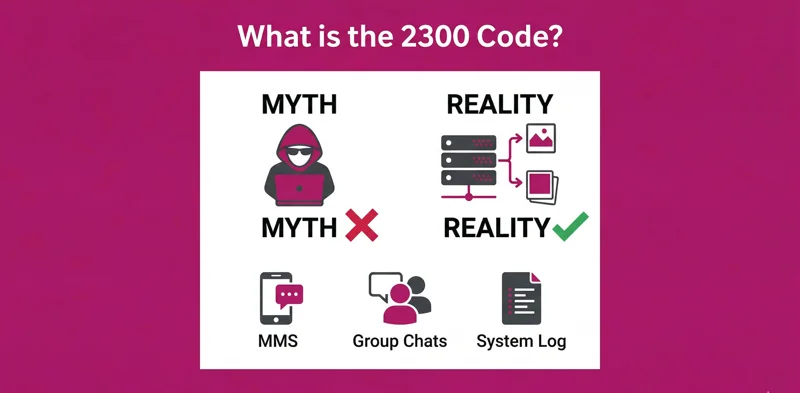
At its core, the 2300 code is not a real person, a telemarketer, or a scammer trying to reach you. It is a system-generated tracking number used primarily by the T-Mobile network (and its associated Mobile Virtual Network Operators, or MVNOs) to log the technical routing of Multimedia Messaging Service (MMS) traffic. Whenever your line sends or receives data that requires the MMS protocol—such as group texts, picture messages, audio clips, or high-resolution video files—the network’s internal computers assign it a digital stamp.
You might see it listed in your logs simply as a 2300 t mobile text entry. This acts as an internal receipt. The system was originally never intended to be completely visible to the end consumer, but due to how billing platforms pull data from the network’s message centers, these raw routing codes often bleed over into the customer-facing PDF or online usage logs.
The 2300 short code is an internal carrier routing mechanism, not a human sender, ensuring your multimedia and group texts reach their destination.
Understanding the 2,300 Variations
Depending on the specific billing software version your carrier is currently utilizing, or whether you are viewing your bill on a mobile app versus a desktop browser, the formatting of this code can change. You might see it rendered with a comma as 2,300, or you might even see extended variations like the 22300 text or 22300 text message logs. Regardless of whether it has an extra digit or a comma, the underlying function remains exactly the same: it is an automated network relay identifier logging an MMS transaction.
| Log Appearance | Technical Meaning | Should You Be Worried? |
|---|---|---|
| 2300 | Standard MMS routing code for T-Mobile. | No, normal network activity. |
| 2,300 | Formatting variation of the standard routing code. | No, normal network activity. |
| 22300 | Extended short code, often associated with specific third-party routing gateways. | Monitor for associated premium charges. |
| 2300 Mauritius | Routing tag indicating the international gateway server location used. | No, it is a technical artifact. |
Decoding Incoming vs. Outgoing 2300 Messages
One of the most confusing aspects for consumers reviewing their bills is determining the direction of the message. Your log might specify 2300 — text incoming or explicitly label it as a 2300 incoming text message t mobile.
The 2300 Incoming Text
When you see a 2300 incoming text on your log, it means that someone else—a friend, family member, or colleague—sent a group message or a media file to your phone. The T-Mobile network received that packet of data, routed it through the Multimedia Messaging Service Center (MMSC), and delivered it to your handset. Because the original sender’s data was encapsulated within an MMS envelope, the carrier’s billing system records the receipt of the envelope from the MMSC (represented by 2300 text code) rather than the individual 10-digit phone number of your friend.
Outgoing Activity
Conversely, when you initiate a group chat or send a meme to a friend, your phone uploads that data to the network. The usage log will show an outgoing 2300 short code text message. This explains why teenagers or individuals who use group chats heavily will have pages upon pages of 2300 text code t mobile entries on their bill. Every single reply in a group chat is treated as an individual MMS transaction by the network’s backend.
Device Specifics: Android vs. iOS
The way your phone’s operating system handles messaging protocols can significantly impact how frequently you see these codes. The appearance of a 2300 text message android log is incredibly common due to how Android devices have historically handled group messaging compared to Apple’s ecosystem.
If you are using an iPhone and messaging other iPhone users via iMessage, those texts are sent over the internet as end-to-end encrypted data. They bypass the carrier’s SMS/MMS routing entirely, meaning they will not show up on your T-Mobile bill as a 2300 code or anything else. However, if an iPhone user texts an Android user, it forces the conversation into standard SMS/MMS, triggering the 2300 routing codes.
Android users utilizing standard messaging apps or older SMS protocols will see these codes frequently. Even with the adoption of Rich Communication Services (RCS), certain network fallback mechanisms will still trigger an MMS log, resulting in the 2300 identifier appearing on the billing statement.
| Operating System / App | Messaging Protocol Used | Will 2300 Appear on Bill? |
|---|---|---|
| iPhone to iPhone (iMessage) | Apple Proprietary Data | No |
| Android to Android (RCS active) | Google/Carrier RCS Data | Rarely (unless fallback to MMS occurs) |
| iPhone to Android (Group/Media) | Standard MMS | Yes, very frequently |
| Standard SMS (Text only, no group) | Standard SMS | No (Shows actual phone number) |
Troubleshooting 2300 Message Blocking Errors
A specific area of frustration for users is encountering the dreaded 2300 message blocking is active notification, or seeing logs indicating a 2300 text message blocked status. This usually happens when there is a conflict between your device settings, your account permissions, and the network’s attempt to deliver a multimedia message.
Why Does “2300 Message Blocking is Active” Occur?
When you attempt to send a picture or a group text and receive a bounce-back error stating that blocking is active, it means the network’s 2300 routing hub is unable to push the data through to the recipient, or your own account is restricted from using the hub. There are several primary culprits for this:
- Account-Level Blocks: The primary account holder may have logged into the T-Mobile portal and placed a restriction on sending or receiving picture messages, often done to control data usage or prevent younger family members from sending inappropriate media.
- Short Code Blocking: Sometimes, users request customer service to block all premium short codes to prevent unauthorized charges. Occasionally, an overzealous network filter might accidentally lump the internal 2300 code into this block list, breaking MMS functionality.
- Insufficient Funds: For users on prepaid plans, if your account balance is too low to cover the data required for an MMS, the network gateway will reject the payload, resulting in a 2300 text message blocked log.
- Network Outages: Temporary outages at the carrier’s MMSC can result in failed delivery receipts labeled with the 2300 identifier.
| Blocking Issue | Symptom on Device | Resolution Step |
|---|---|---|
| Account Level MMS Block | Cannot send/receive pictures; red exclamation mark. | Log into T-Mobile account and disable family allowances/blocks. |
| Premium Short Code Block | “Message blocking is active” error via text. | Call 611 and ensure internal routing codes are whitelisted. |
| Prepaid Balance Empty | Messages fail to send immediately. | Top up prepaid account balance. |
| Network APN Error | Media gets stuck on “Downloading…” | Reset Network Settings in phone options. |
The Real Threat: Third-Party Charges and Cramming
While we have established that the 2300 short code itself is merely a harmless tracking metric, there is a very valid reason why consumers research this number so aggressively. Often, while scrutinizing their bill trying to understand the 2300 logs, they uncover actual, fraudulent monetary charges. This practice is known as “cramming.”
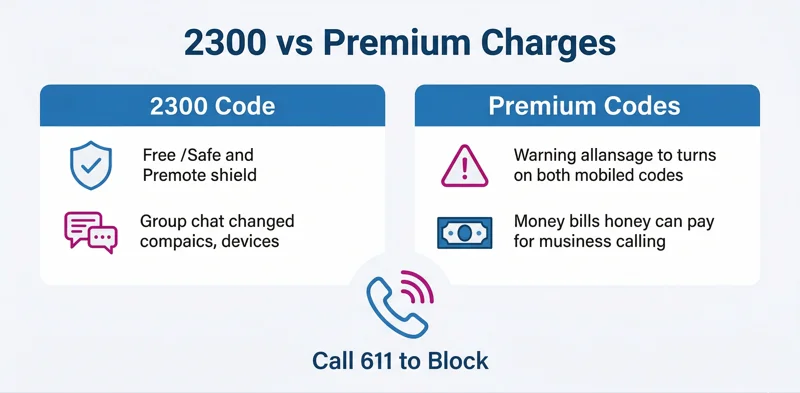
Cramming occurs when a third-party company—such as a shady mobile game developer, a premium horoscope service, or a fake sweepstakes operator—uses Direct Carrier Billing (DCB) to add unauthorized charges to your monthly cell phone statement. Because these charges often come from 5-digit or 6-digit short codes, users mistakenly blame the harmless 2300 code for the financial drain.
Protecting your mobile account starts with regularly reviewing your usage logs and disabling third-party direct carrier billing.
How to Identify Fraudulent Charges
If you suspect you are a victim of cramming, you must ignore the 2300 entries and look at the actual financial breakdown of your bill. Look for sections titled “Premium Services,” “Third-Party Content,” or “Other Charges.” These sections will highlight the actual short codes (which might look like 54321 or 88990) that are draining your wallet.
For more official guidance on understanding unauthorized billing practices, you can review the rules and consumer protections outlined by federal telecommunications authorities. For example, check the FCC guide on Cramming.
Actionable Steps to Secure Your Mobile Account
Now that you know how to differentiate between normal network operations and malicious billing, you must take proactive steps to lock down your account.
Step 1: Perform a Comprehensive Bill Audit
Do not rely solely on the summary page of your bill. You need to download the detailed PDF version of your statement every month. Review the data, text, and talk logs. Identify the difference between a standard 10-digit phone number, a 4-digit internal code like 2300, and a 5-digit premium billing code.
| Step | Action Required | Expected Outcome |
|---|---|---|
| 1. Log In | Access your carrier’s online portal or mobile app. | Gain access to billing history. |
| 2. Download PDF | Navigate to statements and download the detailed PDF. | View line-by-line itemized usage. |
| 3. Search “Premium” | Use CTRL+F to search for “Premium” or “Third-Party”. | Locate unauthorized financial charges. |
| 4. Document Codes | Write down any 5-digit or 6-digit codes linked to money. | Prepare for customer service dispute. |
Step 2: Utilize the STOP Command
If you are receiving unwanted promotional messages from a standard short code (not 2300, but a marketing number), you can almost always opt-out by replying with the word “STOP”. By federal regulation, this command must force the sender to remove you from their automated distribution list.
Step 3: Implement a Third-Party Billing Block
The single most effective action you can take is to call your carrier (dialing 611 from your handset) and explicitly requesting a “Third-Party Billing Block” or “Premium Message Block” to be applied to every single line on your family plan. This acts as an administrative firewall. Even if a child accidentally clicks a deceptive ad that tries to subscribe them to a $9.99/month ringtone service, the carrier will reject the charge at the network level.
The Mystery of the “Mauritius” Label
We must address one of the most panic-inducing aspects of the 2300 code: the location tag. Many users log into their accounts and see “2300 Mauritius” listed next to their texts. Mauritius is a small island nation in the Indian Ocean. Naturally, users assume their phone has been hijacked by international pirates.
The reality is far less cinematic. Modern telecommunications networks are global. T-Mobile utilizes servers, routing gateways, and third-party infrastructure providers located all over the world to handle the massive volume of data flowing through their systems. The label “Mauritius” simply refers to the physical location of a specific server node or IP registry that was utilized to route that specific MMS packet at that exact millisecond. It is a back-end technical artifact that the billing software accidentally translates into a location tag on the consumer-facing log. Your data is not being stolen by foreign actors; it is just taking a highly efficient, automated detour through a global network infrastructure.
Advanced Insights on the 2300 Phone Number Classification
It is important to reiterate that classifying this as a 2300 phone number is technically incorrect in telecommunications terminology. A phone number conforms to the North American Numbering Plan (NANP), utilizing a 10-digit format (NPA-NXX-XXXX). Four-digit codes are exclusively reserved for carrier network operations. You cannot dial a 4-digit code and expect a phone to ring. You cannot send a text message to a 4-digit code and expect a human to read it.
This distinction is critical when dealing with suspicious partners or family members. A common scenario involves a spouse finding hundreds of 2300 entries and accusing their partner of using a secret messaging app to talk to someone. The absolute truth, backed by carrier technology, is that these logs only represent the sending of pictures, videos, or group chats to regular 10-digit phone numbers. The 2300 log is just the shadow cast by those media messages on the billing system.
| Misconception | The Reality |
|---|---|
| 2300 is a secret messaging app. | It is a T-Mobile network routing code for MMS. |
| 2300 means my phone is hacked. | It is normal background activity for picture messages. |
| I can call the 2300 number to see who it is. | It is not a dialable phone number; the call will fail. |
| 2300 is charging me money. | 2300 is free; other 5-digit short codes cause charges. |
Managing Your Digital Footprint
Understanding these network codes is a fundamental part of modern digital literacy. As carriers move away from traditional SMS and heavily push Rich Communication Services (RCS) and advanced media integration, the way our bills look will continue to evolve. Being able to look at a raw data log and interpret the difference between an internal system handshake (like the 2300 code) and a malicious third-party billing attempt empowers you as a consumer.
Remember that knowledge is your best defense against both bill shock and unnecessary anxiety. By knowing that every group chat you participate in will generate dozens of these 4-digit logs, you can review your monthly statements with confidence and peace of mind.
Frequently Asked Questions
What does a text from 2300 mean on my T-Mobile bill?
It means that your phone either sent or received a Multimedia Message (MMS), such as a picture, a video, or a group text. The 2300 code is T-Mobile’s internal system identifier for routing that specific type of media.
Can I reply to the 2300 short code?
No. Because 2300 is an internal network routing number and not a real device, any attempt to text or call it will fail. You will likely receive an error message stating the destination is invalid.
Why does my bill say “2300 message blocking is active”?
This error indicates that a restriction on your account is preventing the transmission of picture or group messages. It can be caused by parental controls, a depleted prepaid balance, or a network-level short code block accidentally affecting MMS.
Does the 2300 code mean someone is cheating or hiding texts?
No. The code simply proves that the user is engaging in group chats or sending/receiving media files (like photos or GIFs) to regular contacts. It is not indicative of secret apps or hidden conversations.
How do I stop the 2300 code from appearing on my bill?
The only way to completely stop it from appearing is to stop sending and receiving group texts and picture messages entirely. As long as you use MMS functionality, the carrier will log the routing code.
Are there extra charges associated with the 22300 text or 2300 logs?
The 2300 internal routing code itself does not generate additional charges, provided you have an unlimited texting plan. However, you should always check your bill for other 5-digit codes that might be linked to third-party premium subscriptions.
Why does the 2300 incoming text message t mobile log show up more on Android phones?
Android devices frequently rely on standard MMS protocols for group messaging and sharing media with users across different platforms (like iOS). Apple devices bypass this logging entirely when using iMessage, causing Android usage logs to display the 2300 code far more frequently.
Disclaimer: The information provided in this article is for educational and informational purposes only. We are not affiliated with T-Mobile, any MVNO, or any telecommunications provider. Billing systems and carrier technologies are subject to change. Always contact your service provider directly for official billing support, account modifications, and to resolve any unauthorized charges.