New Google Photos feature will completely erase your photos twice as fast, catching many everyday users completely off guard.
Google has quietly updated its official support documentation to alter how long deleted media lingers in digital limbo.
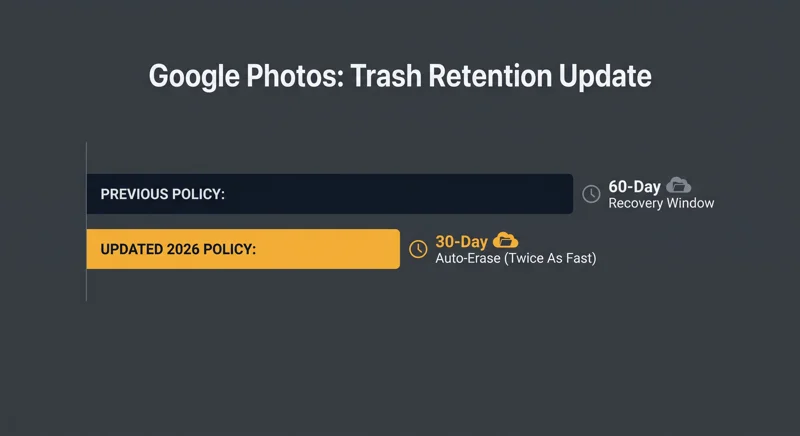
For years, cloud storage users enjoyed a comfortable 60-day recovery window for backed-up pictures and videos placed in the trash bin.
That generous safety net has now been slashed in half, standardizing the application with Google Drive and Gmail.
Understanding the Policy Shift: New Google Photos feature will completely erase your photos twice as fast
The core change revolves around the trash bin retention period for content that has already been backed up to the cloud.
Previously, if you deleted a cherished family photo, you had two full months to change your mind and restore it from the bin.
Under the updated policy guidelines, that recovery window is now restricted to just 30 days.
This means that a New Google Photos feature will completely erase your photos twice as fast if files are left sitting in the recycle bin.
“Slashing the trash retention window from 60 days to 30 days means users must act much quicker during routine cloud cleanups to prevent permanent data loss.”
Un-backed-up items already shared this strict 30-day timeline, but backed-up media enjoyed the longer grace period until now.
If you manually empty your trash folder, files vanish instantly with no recovery options available.
| Cloud Storage Service | Previous Trash Retention | Updated Trash Retention (2026) |
|---|---|---|
| Google Photos (Backed-up) | 60 Days | 30 Days |
| Google Drive | 30 Days | 30 Days |
| Gmail | 30 Days | 30 Days |
Avoiding Accidental Loss: New Google Photos feature will completely erase your photos twice as fast
Bulk photo cleanups can easily become hazardous under this shortened timeline.
If you rapidly delete blurry screenshots or duplicates, you might accidentally swipe away a favorite memory.
Because a New Google Photos feature will completely erase your photos twice as fast, weeks can pass before you realize a file is missing.
Once the 30-day counter expires, your memories are permanently wiped from the servers unless stored elsewhere.
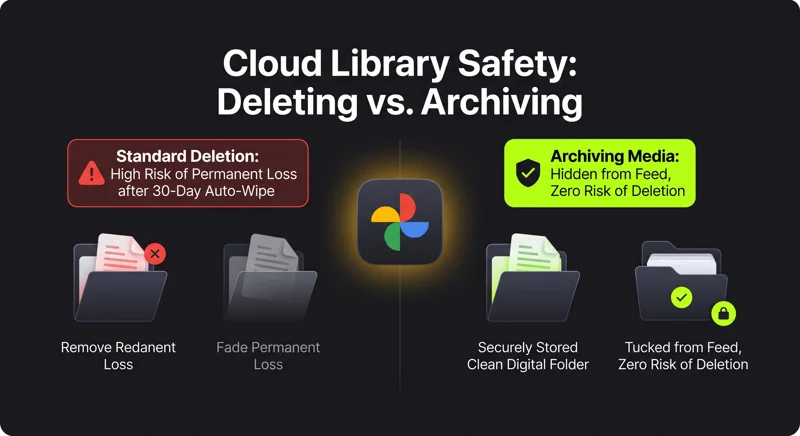
“Instead of deleting photos to free up main gallery space, consider utilizing the built-in archive feature to safely hide unwanted pictures without risking permanent deletion.”
For official guidance on managing your cloud library and storage limits, you can review the official Google Photos support center.
| Management Strategy | Main Feed Visibility | Risk of Permanent Loss | Storage Impact |
|---|---|---|---|
| Standard Deletion | Removed | High (30-day auto wipe) | Freed after deletion |
| Archiving Media | Hidden from view | None (Permanent safety) | Retains cloud space |
Protecting Your Library From Sudden Deletion
To navigate this update safely, change your daily media management habits.
Always inspect your trash bin immediately after performing a massive storage clean-up.
Keep in mind that knowing a New Google Photos feature will completely erase your photos twice as fast helps you avoid devastating data mistakes.
Utilize albums and search tags rather than deleting files you might want to revisit in the future.
Frequently Asked Questions
What does it mean when reports state a New Google Photos feature will completely erase your photos twice as fast?
It means Google has reduced the trash bin retention period for backed-up photos and videos from 60 days down to 30 days.
How long do deleted items stay in the Google Photos trash bin now?
Deleted backed-up media now remains in the bin for a maximum of 30 days before automatic deletion.
Can I recover photos after the new 30-day window expires?
No, once the 30-day retention period passes or if you manually empty the bin, the files are permanently erased.
Did Google officially announce this trash policy change?
Google quietly updated its support documentation and added in-app notices rather than issuing a major press release.
Does this 30-day limit apply to Google Drive and Gmail as well?
Yes, Google Drive and Gmail have already maintained a 30-day trash deletion policy, and Photos is now standardized to match them.
What is a safer alternative to deleting unwanted photos from my feed?
You should use the Archive function, which hides pictures from your primary grid without deleting them or risking auto-purge.
How can I check if anything important is currently sitting in my trash bin?
Open the Google Photos app, tap Library, select Trash, and review your recently deleted media before the new deadline passes.
Disclaimer: This article is for informational purposes only. Storage policies, recovery timelines, and feature rollouts are subject to change by Google LLC at any time.