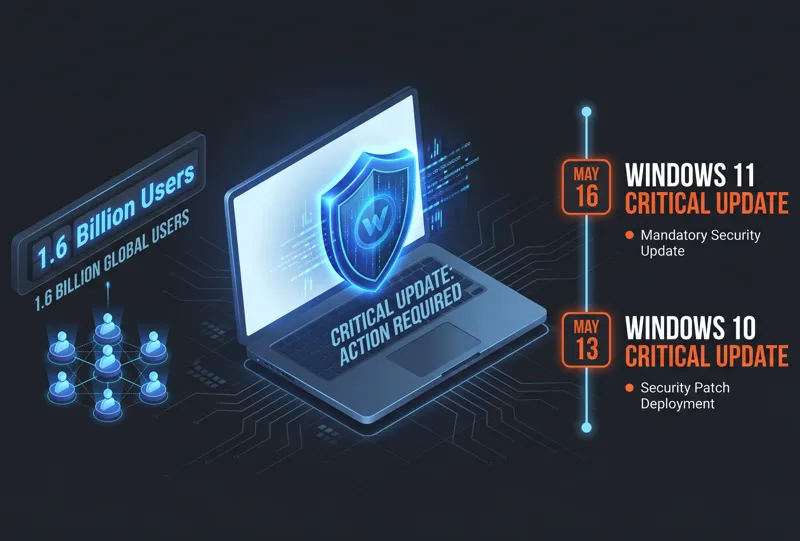
Tech enthusiasts and everyday users alike are celebrating as microsoft details windows 11 improvements it brought to windows 11 in april, marking a significant turning point for the operating system in 2026. Over the last few months, something truly earth-shattering happened at the tech giant’s headquarters. After years of seemingly ignoring user complaints regarding the operating system’s UI and UX, Microsoft executed a sudden and highly welcomed U-turn. The company announced major changes to the operating system and its core features, actively working to reignite lost enthusiasm and prove to its massive user base that it still cares about the desktop experience.
The Big U-Turn: Overhauling the Windows Insider Program
One of the most notable shifts in this April update wave involves the Windows Insider Program, the primary testing ground for upcoming features. Microsoft recognized that the previous tier system was convoluted and often trapped users in unstable builds. To remedy this, the program has been entirely revamped. It now features two primary, easy-to-understand channels: Experimental and Beta. The Beta channel now guarantees no controlled feature rollouts, providing a more stable testing environment, while the Experimental channel allows power users to toggle specific features on or off manually.
| Insider Program Channel | Key Functionality | User Benefit |
|---|---|---|
| Experimental Channel | Manual feature toggles enabled | High customization for testing cutting-edge tools |
| Beta Channel | No controlled feature rollouts | Stable testing environment with predictable updates |
| Feedback Hub | Redesigned UI and suggestion browsing | Easier to report bugs and upvote community ideas |
“Microsoft made a sudden U-turn and announced major changes to the operating system… as part of its effort to reignite lost enthusiasm.”
Fixing the Frustrations: Windows Update Enhancements
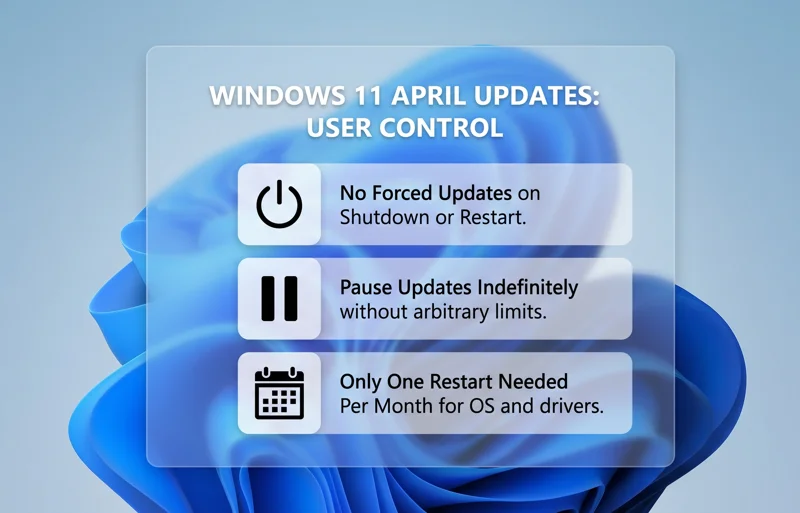
For years, one of the biggest pain points for PC users has been the aggressive nature of Windows Update. This April, Microsoft finally delivered useful and meaningful changes to how updates are handled. The power menu has been liberated; it no longer forces you to install pending updates before restarting or shutting down your computer. Furthermore, users now have the ultimate freedom to pause Windows updates as many times as they want without arbitrary limits. To streamline the process further, the operating system now requires only one consolidated restart per month to install OS patches, .NET frameworks, and driver updates concurrently.
Dialing Back AI: A Cleaner, Less Cluttered Experience
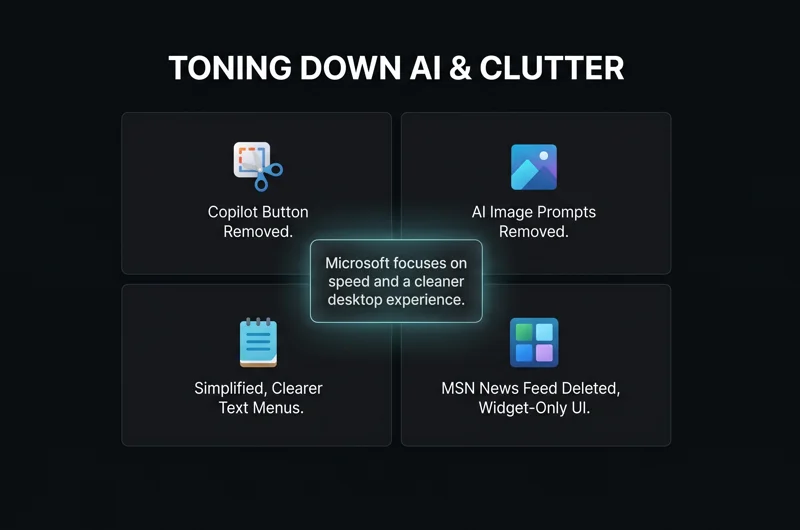
Perhaps the most surprising pivot is Microsoft’s decision to tone down its aggressive artificial intelligence push. Over the past year, Copilot was integrated into nearly every corner of the OS, much to the dismay of users who prefer a streamlined workflow. Responding to the backlash, Microsoft is actively removing redundant Copilot entry points across various inbox applications.
| Application | Previous AI Integration | April 2026 Change |
|---|---|---|
| Snipping Tool | Intrusive “Ask Copilot” button | Button completely removed |
| Windows Photos | “Ask Copilot” image analysis prompt | Prompt completely removed |
| Notepad | Confusing AI text generation menus | Replaced with simplified, clearer wording |
“Microsoft is toning down its AI efforts and removing redundant Copilot entry points across inbox Windows apps, giving control back to the user.”
Additionally, the latest preview builds ditch the often-criticized MSN news feed. The operating system is switching to a clean, widget-only UI by default, removing the clickbait articles and tabloid news that previously cluttered the desktop widget panel.
File Explorer and Foundational Performance Improvements
Beyond visual changes, the core mechanics of Windows 11 are receiving much-needed attention. File Explorer, a critical component that has suffered from sluggishness, is getting significant “foundational architectural improvements.” These background changes are specifically designed to reduce system hangs, drastically improve folder load responsiveness, and deliver a vastly superior user experience.
Microsoft is also improving overall OS responsiveness and application launch times. This is being achieved through deep performance and power tuning enhancements, alongside an updated system scheduler. This new scheduler better handles processor power states, ensuring that your CPU ramps up instantly when opening apps and scales down efficiently to save battery life. For those who want to read the raw patch notes directly from the developers, you can visit the Official Windows Blog for comprehensive technical breakdowns.
| Performance Area | Underlying Issue | The April Fix |
|---|---|---|
| File Explorer | Frequent hangs and slow directory loading | Foundational architectural rewrites |
| App Launch Times | Delayed processor response to input | Updated CPU power state scheduler |
| Widgets Board | High RAM usage due to MSN news feed | Switched to a lightweight, widget-only UI |
“While 2026 is unlikely to bring us Windows 12, it could be a pivotal year for the operating system as it finally matures into what users originally wanted.”
All these highly requested changes are currently available for testing within the Insider program. While Microsoft still has plenty to do—including long-awaited taskbar fixes, Start menu improvements, and a reworked Windows Search—these April updates prove that the company is finally listening. It seems 2026 will be a pivotal year of refinement and optimization for Windows 11.
Frequently Asked Questions
The power menu no longer forces users to “Update and Restart” or “Update and Shut down.” You can now restart or power off your PC without triggering pending installations.
How often do I have to restart my PC for updates now?
Microsoft has optimized the process so that OS, .NET, and driver updates are bundled together, requiring only one system restart per month.
Can I pause Windows Updates indefinitely?
Yes, the April updates allow users to pause Windows updates as many times as they want without arbitrary lockout periods.
Microsoft is toning down its AI push by completely removing the redundant “Ask Copilot” buttons from inbox apps like Snipping Tool and Windows Photos.
Did the Windows Insider Program change?
Yes. It has been simplified into two main channels: Experimental (for manual feature toggles) and Beta (which has no controlled feature rollouts), making it easier to switch or leave without reinstalling Windows.
Is the MSN news feed gone from Windows 11?
Yes, the latest preview builds ditch the cluttered MSN feed entirely, switching the Widgets board to a clean, widget-only UI by default.
Will there be a Windows 12 in 2026?
Based on current trajectories and this massive refocus on fixing Windows 11, it is highly unlikely that Windows 12 will launch in 2026. Instead, this year is serving as a pivotal optimization period for Windows 11.
Disclaimer: This article is for informational purposes only. Features rolled out to the Windows Insider program are subject to further testing and modification before reaching the general public release channel.