The tech community has been on high alert lately due to reports of chrome installing 4gb ai model gemini nano without explicit user consent. You might not have requested an artificial intelligence assistant to live locally on your computer, but if you use Google’s immensely popular web browser, there is a strong chance you have received this massive file anyway. As we navigate through 2026, the integration of AI into everyday applications has become standard, but the stealthy nature of this particular update has sparked significant Chrome browser privacy concerns among cybersecurity experts and everyday users alike.
The Hidden Installation: What Exactly Is Gemini Nano?
Unlike cloud-based AI that relies on distant server farms to process your prompts, Gemini Nano is an on-device AI. This means it operates locally on your hardware, utilizing your own machine’s processing power, RAM, and storage space. It is designed to perform localized tasks such as analyzing Pixel phone screenshots, assisting with writing text messages, and summarizing long audio recordings directly within the browser ecosystem. However, according to privacy advocates like computer scientist Alexander Hanff, this installation is happening completely silently, provided your device meets the undisclosed hardware requirements.
| Component | Details |
|---|---|
| AI Model Name | Gemini Nano |
| Estimated File Size | Approximately 4GB |
| Target Folder | OptGuideOnDeviceModel |
| Target File | weights.bin |
The primary issue isn’t necessarily the technology itself, but rather the lack of transparency. Users are entirely unaware that a massive file is consuming their local storage and potentially utilizing their bandwidth. Experts speculate that pushing a hidden 4GB AI install to consumer devices is a strategic move to offload immense computational expenses from Google’s own server infrastructure.
“Running inference on users’ own hardware allows them to push ‘AI features’ without the compute costs.”
Why This Sparks Major Privacy Concerns
Pushing software without a clear opt-in prompt poses serious questions regarding user autonomy. In regions with strict data protection laws, such as the European Union under the GDPR, silent installations of this magnitude could be interpreted as a breach of transparency and fairness principles. Furthermore, running intensive AI models locally consumes electrical power, raising valid environmental sustainability questions that tech giants are supposed to report on.
| AI Deployment Type | Pros | Cons |
|---|---|---|
| Cloud-Based AI | Does not use local storage; highly powerful | Requires internet; privacy risks on servers |
| On-Device AI (Gemini Nano) | Works offline; data stays on device | Consumes local RAM, battery, and 4GB storage |
How to Find and Remove AI from Google Chrome
If you are concerned about your storage space or simply do not want an uninvited AI model running in the background of your system, checking for its existence is relatively straightforward. Because the browser does not actively notify you of its presence, you must manually dig into your file manager. For those who value strict data control, reviewing the official Google Privacy Policy is always recommended to understand what other data might be processed.
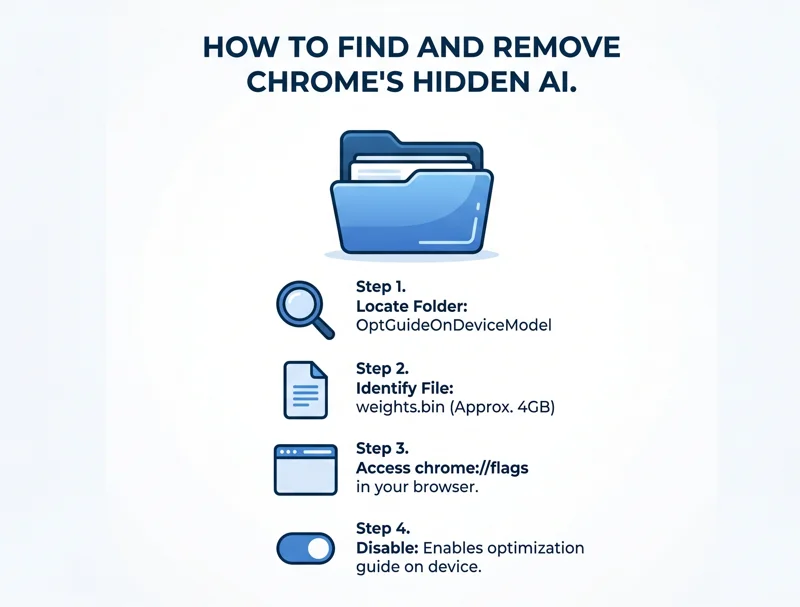
To check if your device has been targeted, open your respective file management system (File Explorer on Windows, Finder on macOS, or Files on Chromebook). Search your primary drive for a specific folder named “OptGuideOnDeviceModel”. Inside this directory, if you see a large file named “weights.bin”, Gemini Nano has been silently installed on your machine.
| Step | Action Required to Disable Gemini Nano |
|---|---|
| Step 1 | Open your Google Chrome browser. |
| Step 2 | Type “chrome://flags” directly into the URL address bar and hit Enter. |
| Step 3 | In the search box at the top, type “Enables optimization guide on device”. |
| Step 4 | Change the dropdown menu next to this flag from “Default” or “Enabled” to “Disabled”. |
| Step 5 | Relaunch your browser to apply the changes and stop future downloads. |
According to statements provided by Google representatives, once this feature is actively disabled in your browser settings, the model will no longer attempt to download or update in the background. If your device was previously struggling with processing power or RAM memory, removing this hidden 4GB AI install might actually improve your overall system performance.
“Google has given us every reason not to trust them with a history spanning two decades of global privacy violations at massive scale.”
Frequently Asked Questions

Why is Google installing Gemini Nano without asking?
Experts believe it is a strategy to shift the massive computational costs of running AI models away from Google’s cloud servers and directly onto the consumer’s local hardware.
Does this AI read my private browsing history?
Gemini Nano is designed to perform specific localized tasks like summarizing text and detecting scams. While it runs locally for privacy, the lack of an opt-in prompt has made users highly skeptical of its actual boundaries.
Will deleting the weights.bin file break my Chrome browser?
No. However, the browser may attempt to re-download it unless you specifically disable the “optimization guide on device” feature in the chrome://flags menu first.
Is Gemini Nano the same as the Gemini web chatbot?
No. The web chatbot relies on powerful cloud servers. Nano is a highly compressed, 4GB version built specifically to run offline on local laptop and smartphone hardware.
Does this affect mobile phones as well?
Yes, Gemini Nano is also being deployed on certain high-end smartphones, like modern Pixel devices, provided they meet the strict hardware and memory requirements.
How do I know if my PC meets the hardware requirements for this AI?
Google has not published a definitive public list of exact hardware cut-offs, but it generally targets systems with high RAM availability, fast SSD storage, and modern processors.
Is this installation legal under current privacy laws?
This is currently up for heavy debate. Privacy lawyers argue that it may violate the transparency and user-consent principles of strict frameworks like the European Union’s GDPR.
Disclaimer: This article is for informational purposes only. Modifying browser flags or system files carries inherent risks, and users should proceed with caution and refer to official software documentation.