If you recently noticed the android pulse app on play store in your pending updates list, you are certainly not alone.
As smartphone technology advances in 2026, tech giants are constantly developing new ways to keep our devices running smoothly. There are dozens of background services on your device, but a new one is suddenly catching everyone’s attention.
Millions of users have this mysterious system application installed without ever downloading it manually. Today, we are uncovering exactly what it is and why your phone needs it.
Why the android pulse app on play store is Suddenly Visible
For months, this software has operated quietly behind the scenes. However, it recently began appearing in the regular update queue for standard users.
Originally spotted by industry experts, this Google-made utility is a core system component. Many users were confused to see the android pulse app on play store because it lacks a standard user interface.
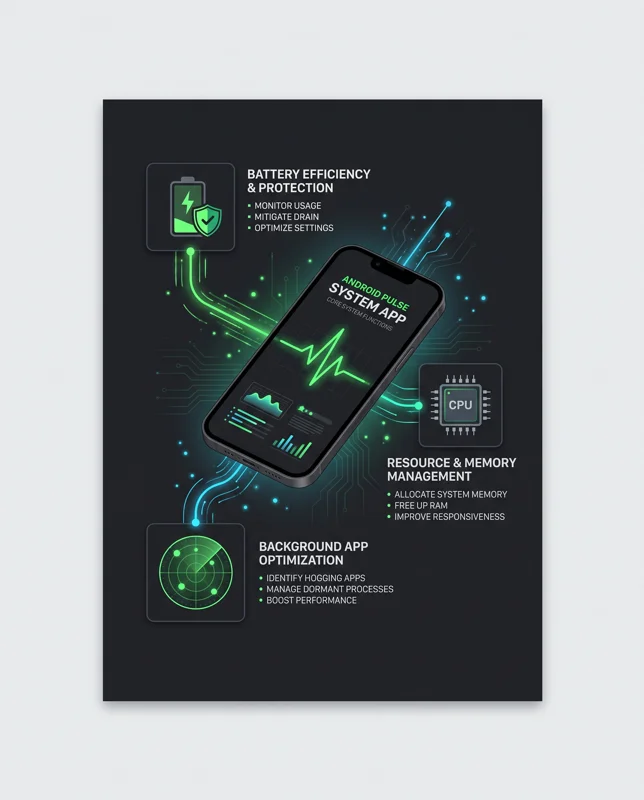
Android Pulse acts as a digital heartbeat monitor for your device, constantly checking your system’s vitals for unusual behavior.
According to its official listing, the application is designed to distribute rules for detecting anomalies related to critical system resource consumption.
| App Feature | Details |
|---|---|
| Developer | Google LLC |
| Primary Function | System anomaly detection |
| Downloads | 10,000,000+ |
| Visibility | Background System App |
How the android pulse app on play store Works Behind the Scenes
Have you ever woken up to find your phone battery completely drained? Rogue applications running in the background are usually the culprit.
This is where this silent guardian steps in. It monitors how other applications use your phone’s memory, processing power, and battery.
When an app goes rogue and starts consuming excessive resources, this software identifies the spike immediately. It helps the operating system recognize and mitigate these issues faster.
Fix Battery Drain with the android pulse app on play store
You cannot open this utility to run a manual virus scan or battery check. Instead, it relies on automated background resource monitoring.
By keeping the android pulse app on play store fully updated, you ensure your device has the latest rules for spotting problematic behavior.
If you want to understand more about how background processes affect your device, you can read the official Google Play Help documentation regarding system updates.
Finding the android pulse app on play store on Your Phone
Even though you cannot launch it from your app drawer, you can verify if it is installed on your device.
The application features a distinct green icon that resembles an EKG heartbeat reading, which perfectly matches its name and function.
You do not need to interact with this application directly; its mere presence ensures a more stable and reliable smartphone experience.
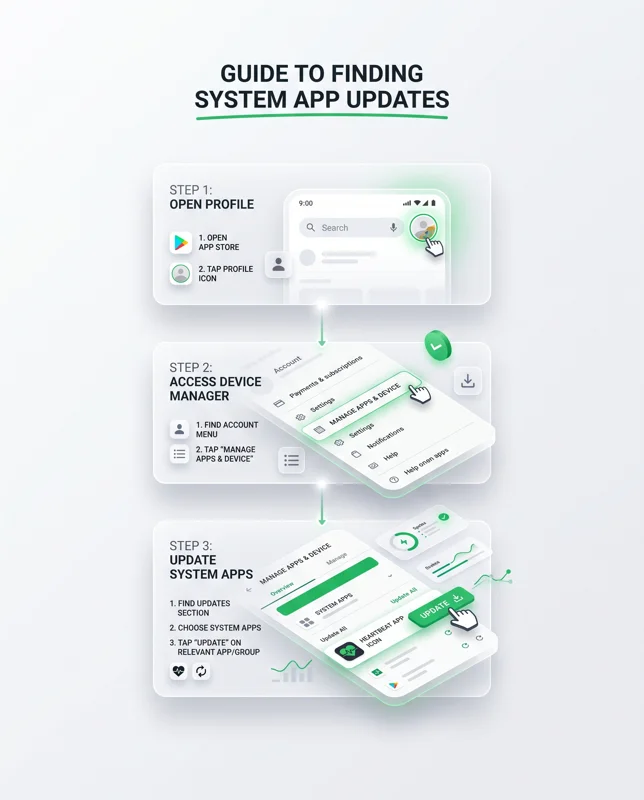
To find it, you simply need to check your active application update list through the official marketplace interface.
| Step | Action Required |
|---|---|
| 1 | Open the digital marketplace on your phone. |
| 2 | Tap your profile picture in the top right corner. |
| 3 | Select ‘Manage apps & device’ from the menu. |
| 4 | Check the ‘Updates available’ section. |
What to do when you see the android pulse app on play store
If you see it waiting in your queue, simply tap the update button. Treating it like any other standard application update is the best course of action.
Do not attempt to force stop or disable it. Removing critical system components can lead to unstable device performance and faster battery degradation.
Frequently Asked Questions
What is the android pulse app on play store?
It is an official Google system application designed to monitor your device for rogue apps and unusual resource consumption.
Do I need to open the app to use it?
No, it works entirely in the background and does not have a user interface for manual scanning.
Why did it suddenly appear on my phone?
It has likely been on your phone for months, but Google recently pushed a public update that made it visible in the update queue.
Does it drain my battery?
No, its primary purpose is to actually prevent battery drain by identifying other applications that are misbehaving.
Is it a virus or malware?
Absolutely not. It is an official, verified system tool created and distributed directly by Google LLC.
Should I update it when I see it?
Yes, keeping it updated ensures your phone has the latest detection rules for managing background processes.
Can I uninstall the android pulse app on play store?
Because it is a system-level application, you cannot easily uninstall it, and doing so is highly discouraged as it protects your device’s stability.
Disclaimer: This article is for informational purposes only. Modifying system applications or attempting to remove background services can cause unintended performance issues on your mobile device. Always rely on official software updates.