The highly anticipated Wear OS 7 changes are officially here, and they are poised to completely transform how we interact with our smartwatches in 2026.
Google recently announced this massive software upgrade, revealing a host of new capabilities aimed at both everyday users and third-party developers. From extending your daily battery life to introducing cutting-edge artificial intelligence right on your wrist, the platform is taking a massive leap forward.
If you are wondering whether upgrading your wearable device will be worth it later this year, reviewing these upcoming Wear OS 7 changes will give you a clear look into the future of spatial and wearable computing.
The Most Impactful Wear OS 7 Changes: Battery Life and Performance
One of the most requested improvements from the wearable community has always been better power efficiency. Thankfully, the new Wear OS 7 changes address this directly.
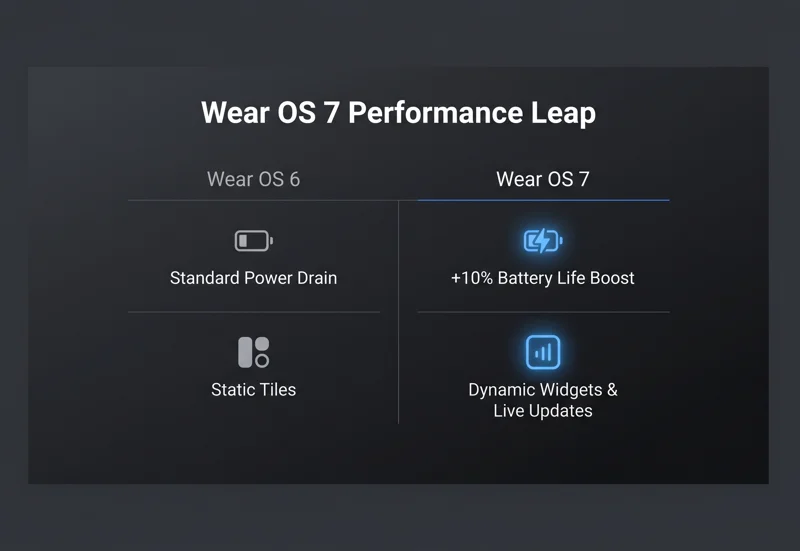
Google claims that smartwatches upgrading from the previous generation (Wear OS 6) to the new operating system can expect up to a 10% improvement in overall battery life. This means less time attached to a magnetic charger and more time tracking your sleep, workouts, and daily notifications.
These core Wear OS 7 changes to power management ensure that the heavier, more advanced features being introduced will not drain your device before the day is over.
| Feature / Metric | Wear OS 6 (Previous) | Wear OS 7 (New) |
|---|---|---|
| Battery Efficiency | Standard Power Drain | Up to 10% Improvement |
| AI Integration | Google Assistant Basic | Proactive Gemini Intelligence |
| User Interface | Static Tiles | Dynamic Widgets & Live Updates |
How Wear OS 7 Changes Bring Gemini Intelligence to Your Wrist
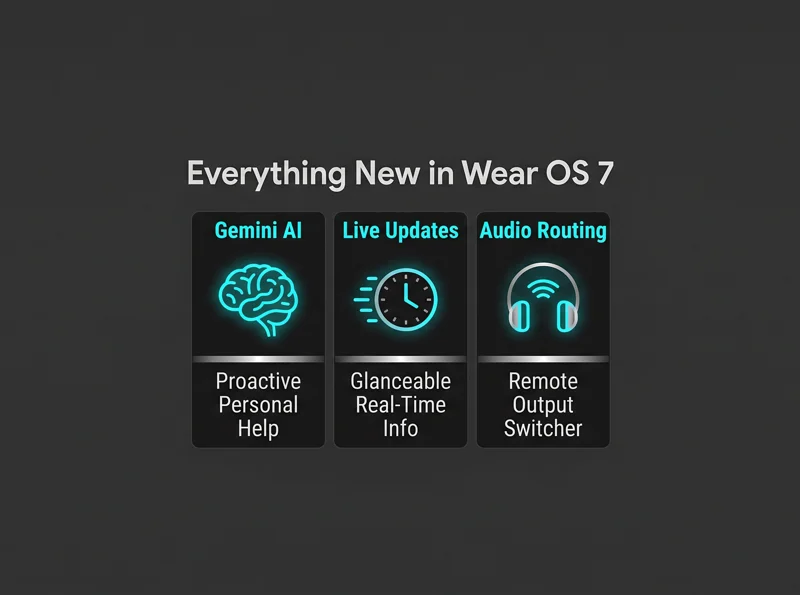
Perhaps the most futuristic of all the Wear OS 7 changes is the introduction of Gemini Intelligence. Later this year, select smartwatches will launch with this powerful AI deeply integrated into the system architecture.
Instead of just answering basic voice queries, Gemini Intelligence is designed to provide proactive and personalized help. It anticipates what you need before you even ask, elevating the wearable from a simple notification mirror to a true digital assistant.
The integration of Gemini Intelligence marks a fundamental shift, transforming your smartwatch from a passive tracker into an active, predictive companion.
Visual Wear OS 7 Changes: Moving from Tiles to Interactive Widgets
For years, users navigated their smartwatches using “Tiles.” However, massive Wear OS 7 changes are evolving these static screens into fully functional, dynamic widgets.
Widgets are designed to be flexible and highly interactive. The Android development team has ensured that migrating from Tiles to Widgets will be a smooth process for third-party app creators. Ultimately, this will result in a richer, more customizable home screen experience for the end user.
Alongside widgets, the introduction of Live Updates provides real-time, glanceable information. Whether tracking a food delivery order or monitoring an ongoing workout, Live Updates keep vital data persistently visible.
| UI Component | Functionality Overview |
|---|---|
| Dynamic Widgets | Replaces legacy Tiles with flexible, interactive app snippets. |
| Live Updates | Offers persistent, glanceable tracking for ongoing background tasks. |
| WFF5 Watch Faces | Enhanced alignment, auto-size tweaks, and complex blend modes. |
Media and Developer Wear OS 7 Changes You Need to Know
Audio lovers will absolutely adore the new Wear OS 7 changes applied to the Enhanced System Media Controls. The update introduces per-app media auto-launch controls, allowing you to personalize exactly how different media apps behave when opened.
Additionally, the new Remote Output Switcher gives users precise control over audio routing. You can seamlessly switch playback from your watch speaker to your earbuds or a connected smart speaker without pulling out your mobile phone.
On the developer side of these Wear OS 7 changes, Google introduced Watch Face Format version 5 (WFF5). This makes designing custom watch faces much easier by providing enhanced alignment options, hierarchical settings, and complex blend modes. You can explore more technical details on the official Android developers portal.
With WFF5 and Enhanced Media Controls, both app developers and daily users receive an unprecedented level of customization over their audio and visual experience.
| Media Control Feature | User Benefit in Wear OS 7 |
|---|---|
| Per-App Auto-Launch | Customize which apps automatically take over the media screen. |
| Remote Output Switcher | Instantly route audio between earbuds, phones, and smart speakers. |
7 FAQs About the Upcoming Wear OS 7 Changes
When will the new Wear OS 7 changes be released to the public?
Google has announced that the final version of the operating system will begin rolling out to supported smartwatches later this year.
How much will the Wear OS 7 changes improve battery life?
Users upgrading from the previous OS generation can expect up to a 10% improvement in battery efficiency.
What exactly are Live Updates?
Live Updates provide real-time, glanceable information on your watch face, such as tracking a food delivery or an active timer, without needing to open the full app.
Will all smartwatches get Gemini Intelligence?
No, Gemini Intelligence will initially be available only on select smartwatches set to launch later this year as part of a broader rollout.
What happens to my old Wear OS Tiles?
Tiles are evolving into Widgets, which are designed to be more dynamic and flexible, offering a more interactive user experience.
Can developers start testing the new OS today?
Yes, a Canary build of the new operating system is currently available for developers via an emulator for rigorous app testing.
What is the Remote Output Switcher feature?
It is a new media control feature that lets you choose exactly where your audio is routed, such as switching from your watch to a Bluetooth speaker, directly from your wrist.
Disclaimer: This article is for informational purposes only. Features, battery improvements, and release dates discussed are based on pre-release software announcements and are subject to change by the manufacturer.