It is now an industry reality that the samsung messages app has a shutdown date, officially marking the end of an era for millions of long-time Galaxy users. As we progress through 2026, the mobile landscape is undergoing a massive shift toward unified communication protocols, specifically Rich Communication Services (RCS). For years, Samsung device owners have relied on the native Samsung Messages application as their primary hub for SMS and MMS text messages. However, in a strategic move to streamline the Android ecosystem and enhance cross-device compatibility, Samsung has partnered closely with Google to make Google Messages the undisputed default. This means a hard deadline has been set, and users must prepare for the mandatory transition.
The tech giant’s decision isn’t entirely unprecedented. The phase-out began subtly with earlier flagship models no longer pre-installing the native app on certain regional variants. Now, however, the deprecation is total. By July 2026, the legacy application will cease handling standard texting functions, restricting itself solely to accessing historical archives and emergency broadcast alerts. For anyone looking for official guidance on this transition, it is highly recommended to consult the Google Messages Help Center for detailed troubleshooting and feature overviews.
The Deadline and Impact: What You Need to Know
The July 2026 shutdown date is not merely a suggestion; it is a critical milestone that will impact how you communicate on your Galaxy device. Once the deadline passes, the native application will no longer send or receive non-emergency texts. This strategic pivot ensures that all users benefit from the advanced features of RCS, which Google Messages champions natively. These features include high-resolution media sharing, read receipts, typing indicators, and enhanced end-to-end encryption—capabilities that were often fragmented depending on your carrier when using the older Samsung app.
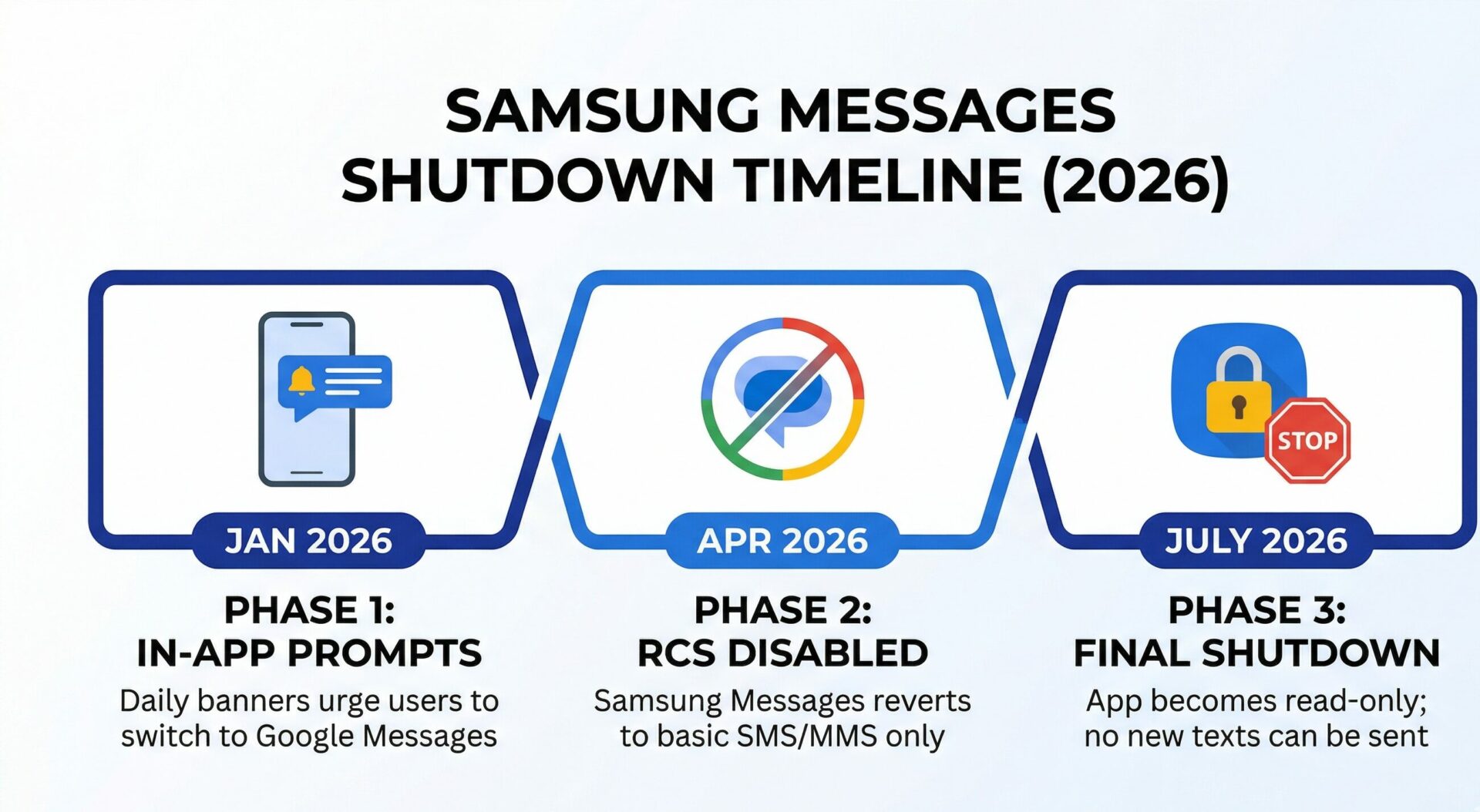
| Phase | Date | Action / Impact |
|---|---|---|
| Phase 1: Initial Prompting | January 2026 | Users receive daily in-app banners urging them to download and switch to Google Messages. |
| Phase 2: Feature Deprecation | April 2026 | RCS capabilities within Samsung Messages are disabled, reverting to standard SMS/MMS only. |
| Phase 3: Final Shutdown | July 2026 | App restricted to read-only mode for old texts. No new SMS/MMS sending allowed. |
For users of the latest hardware, such as the Galaxy S26 lineup, Google Messages is already the default out of the box, offering a seamless, unfragmented experience. However, millions of users retaining older devices like the Galaxy S23, S24, and various A-series models are the primary demographic affected by this upcoming software termination. The push for a unified Android messaging front is largely a response to competitive pressures from other ecosystems, aiming to deliver a ubiquitous, feature-rich texting standard across all Android brands.
“The transition to a single default messaging client across the Android ecosystem eliminates the fragmentation that has held back RCS adoption for years, delivering a safer and more feature-rich experience for all users.”
Comparing the Experience: Why the Switch is Beneficial
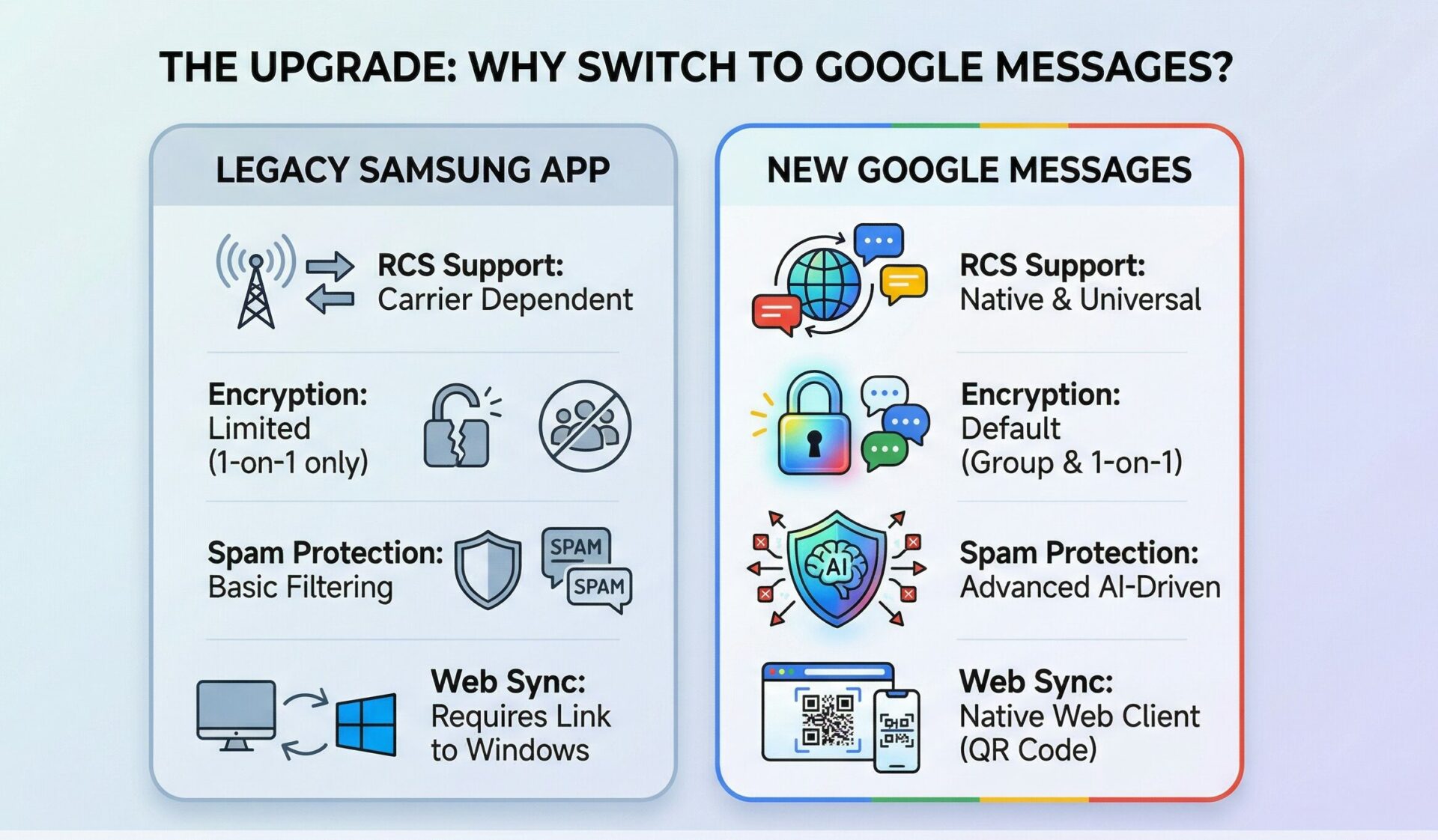
While change can be frustrating for those accustomed to a specific interface, the migration brings undeniable technical upgrades. Google Messages integrates deeply with the broader Google ecosystem, offering Smart Replies, intelligent spam protection, and seamless integration with Google Photos for sharing albums instead of compressing individual images via MMS. Furthermore, Google’s implementation of the RCS universal profile is carrier-agnostic, meaning the features work flawlessly whether you are on Verizon, AT&T, T-Mobile, or an international provider.
| Feature | Legacy Samsung App | Google Messages |
|---|---|---|
| RCS Universal Profile | Carrier Dependent | Native / Universally Supported |
| End-to-End Encryption | Limited (1-on-1 only via specific carriers) | Default for both 1-on-1 and Group chats |
| Spam Protection | Basic Filtering | Advanced AI-driven Spam Blocking |
| Web/Desktop Sync | Requires Link to Windows | Native Web Client via QR Code |
The Transition Process: A Step-by-Step Guide
Migrating to the new platform is designed to be as painless as possible. When you open the legacy app, an in-app prompt will automatically guide you through the process. However, if you wish to initiate the switch manually before the deadline, you can do so by downloading the new application from the Play Store and setting it as your default. Your entire text history, including SMS, MMS, and media attachments, will instantly populate in the new interface. The underlying database on Android remains the same; only the client accessing that database is changing.
“Users do not need to worry about losing their precious memories or important conversations; the database handover between the two clients is instantaneous and requires no manual backup or restore procedures.”
It is important to note that device compatibility plays a role, particularly for users on significantly older hardware. Devices running Android 11 and older might experience slight delays during the initial caching of large message databases when opening the new app for the first time. However, once the initial sync is complete, performance stabilizes.
| Operating System Version | Compatibility Status | Expected Performance |
|---|---|---|
| Android 14 & Above | Fully Supported / Pre-installed | Optimal speed, instant database sync. |
| Android 12 – Android 13 | Fully Supported | Excellent, seamless feature integration. |
| Android 11 & Older | Supported with limitations | Initial database load may take up to 5 minutes. |
Frequently Asked Questions
Will I lose my old text messages when I switch apps?
No. All your existing text messages and MMS media are stored safely in your device’s core database. When you open the new app, they will all be there instantly.
Do I have to pay to use Google Messages?
No, the app is completely free to download and use. It uses your existing cellular plan for SMS/MMS, and Wi-Fi or mobile data for RCS chats.
What happens if I don’t switch by the deadline?
After the July 2026 cutoff, your old app will become read-only. You will not be able to compose, reply to, or receive new messages until you set a new default app.
Will my custom ringtones for specific contacts transfer over?
Custom notification sounds assigned to specific contacts usually migrate smoothly, but you may need to double-check their settings within the new app’s notification preferences.
Can I still use Samsung’s custom keyboard?
Yes\! You can continue using your preferred keyboard, including Samsung Keyboard, Gboard, or any third-party option, without any issues.
Does the new app drain the battery faster?
Battery consumption is nearly identical. RCS features require a minor data connection in the background, but the impact on overall battery life is negligible on modern smartphones.
How do I know if I am using RCS instead of standard SMS?
Look at the text input field before you type. If it says “RCS message” or shows a padlock icon (indicating encryption), you are using the modern protocol. If it says “Text message,” you are using traditional SMS.
Disclaimer: This article is for informational purposes only. Service transition timelines, feature availability, and app compatibility are subject to change based on official announcements from Samsung Electronics and Google LLC. Always ensure your device firmware and applications are updated to the latest versions for optimal performance and security.