Reading a comprehensive samsung galaxy s26 ultra review is essential before dropping $1,299 on a new flagship device in 2026. Every year, Samsung launches a new ‘Ultra’ phone, and while tech enthusiasts constantly clamor for massive redesigns rather than the familiar glass slab we receive annually, the Galaxy S26 Ultra remains an undeniably attractive and powerful device. This year, the focus is squarely on refinement, battery endurance, and software innovation rather than a ground-up hardware reimagining.
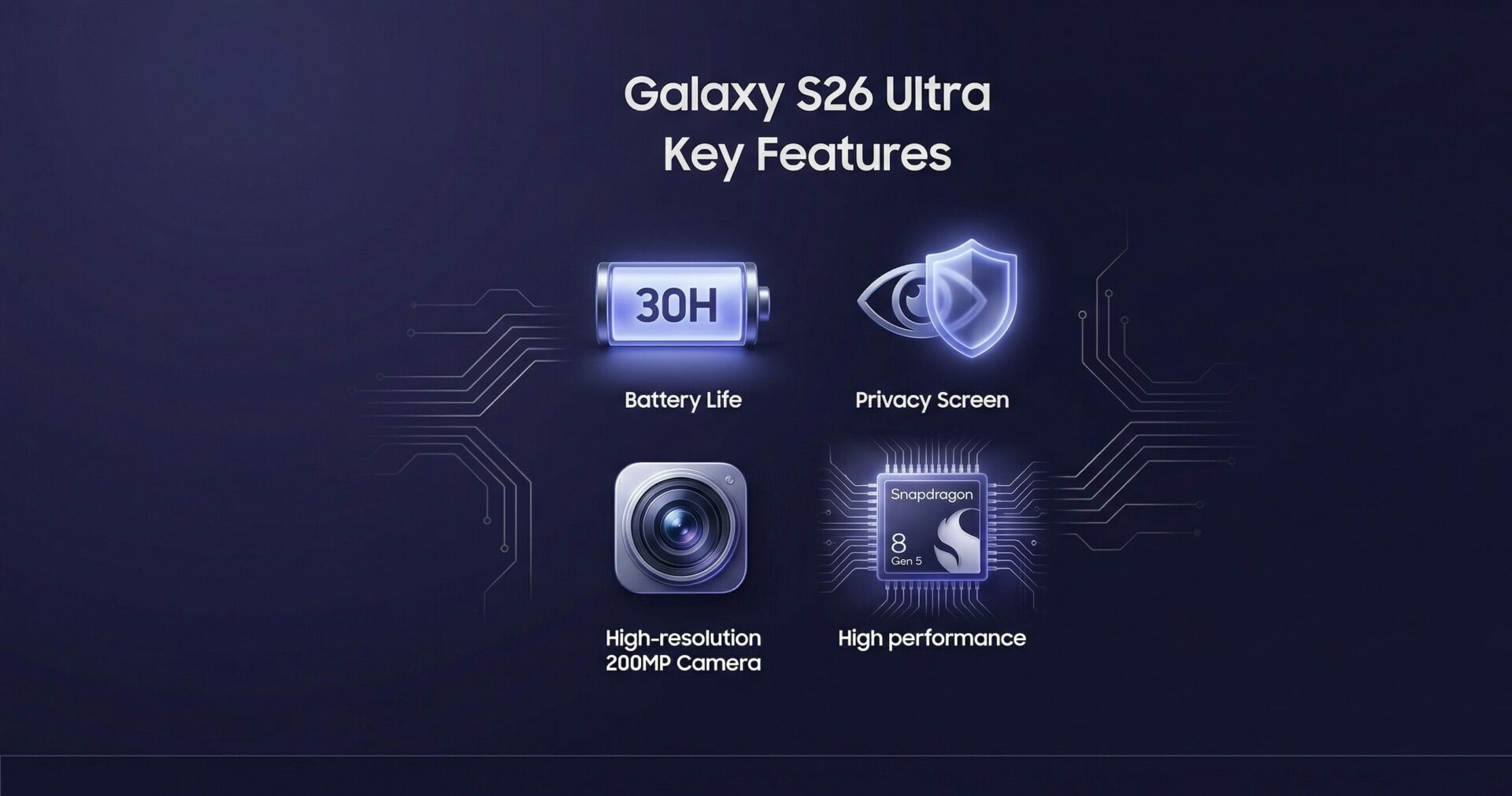
Because while it does look remarkably similar to the S25 Ultra that came before it, the internal components tell a completely different story. It is still packing the absolute most powerful mobile chipset available on the market, accompanied by some of the most excellent cameras ever fitted to a mobile device. Samsung is also heavily focusing on AI software capabilities this time around, looking to seamlessly integrate machine learning into everyday tasks. But more than anything, the S26 Ultra is just a really good, exceptionally reliable high-end smartphone, and for most premium buyers, that is all it really needs to be.
“While it looks remarkably similar to the S25 Ultra, the Galaxy S26 Ultra is still packing the most powerful mobile chipset on the market and redefines modern flagship endurance.”
Design and Build Quality: Familiar Elegance
The Galaxy S26 Ultra looks almost indistinguishable from the S25 Ultra to the untrained eye. It retains the same squared-off edges and rounded corners that have defined the Ultra aesthetic for generations. It even features what looks like the exact same camera bump, with five distinct lenses jutting out of the back of the device. But just because the device looks similar to its predecessor doesn’t mean it is physically unappealing—in fact, the Galaxy S26 Ultra is still a gorgeous device, particularly if you manage to secure it in one of the brighter colorways available this year.
However, it would have been nice if Samsung took a structural note from the iPhone 17 Pro Max that hit the market late last year. Because while the camera bump on the S26 Ultra is far from the most extreme protrusion we have ever seen on a smartphone, it does not feel great going back to a phone that noticeably wobbles any time you lay it flat on a table to type or draw. That physical imbalance can certainly be mitigated with the right protective case, but for a premium $1,299 phone like this, anything that feels annoying without an added accessory is a slight disappointment in terms of user experience.
And, just like with other modern phones featuring substantial camera bumps, the S26 Ultra is surprisingly thin, measuring just 7.9mm thick. That makes it measurably thinner than the iPhone 17 Pro Max, despite housing a similarly powerful System on a Chip (SoC) and some serious camera hardware. The device evaluated for this review is the Cobalt Violet colorway. At first glance, it looks like the same dark-gray-black color option that is perennially popular on high-end phones, but under the right ambient light, it gives off a really cool, deep purple tint. It does seem that even the brighter colorways for this phone remain subtle, but you can always slap a vibrant case on the phone to make it stand out a bit more.
| Feature | Samsung Galaxy S26 Ultra | Previous Generation (S25 Ultra) |
|---|---|---|
| Thickness | 7.9mm | 8.6mm |
| Base Price | $1,299 | $1,299 |
| Biometrics | In-display fingerprint scanner | In-display fingerprint scanner |
| S-Pen | Integrated (Bottom left) | Integrated (Bottom left) |
Also like its predecessor, the physical buttons on the Galaxy S26 Ultra are all conveniently located on the right side of the display. There is a tactile volume rocker situated at the top, along with the lock button positioned right below it. Unlike folding devices such as the Galaxy Z Fold 7, the lock button does not double as a fingerprint reader—that biometric security feature is instead built seamlessly into the display itself.
Down at the bottom edge, you will find the USB-C charging and data port, along with the SIM tray and the housing for the beloved S-Pen. There is also a small slot there, but do not get excited if you are looking for expandable storage—it is simply the speaker grille. You also will not find a microSD card reader in the SIM tray, a trend that continues from past flagship Galaxy devices, meaning you are going to want to make absolutely sure you purchase the right storage configuration right out of the gate.
Display Mastery: Dynamic AMOLED Brilliance
Samsung is universally known for putting excellent, industry-leading displays on its phones, and the Galaxy S26 Ultra is definitely no different. You get a massive, immersive 6.9-inch dynamic AMOLED display operating at a crisp 3120 x 1440 resolution, complete with a variable refresh rate that scales up to a buttery smooth 120Hz. To put it simply, it is gorgeous. Spending weeks with this phone reveals just how vibrant the colors truly are; streaming shows, playing high-fidelity games, and reading digital comics look absolutely excellent here.
Naturally, utilizing the higher refresh rate can cause the battery to drain a little bit faster, but these fast displays have come a long, long way in the last few years. The power management is now so efficient that this stellar screen is paired with some of the best battery life seen in a flagship phone in recent memory.
The Game-Changing Privacy Screen
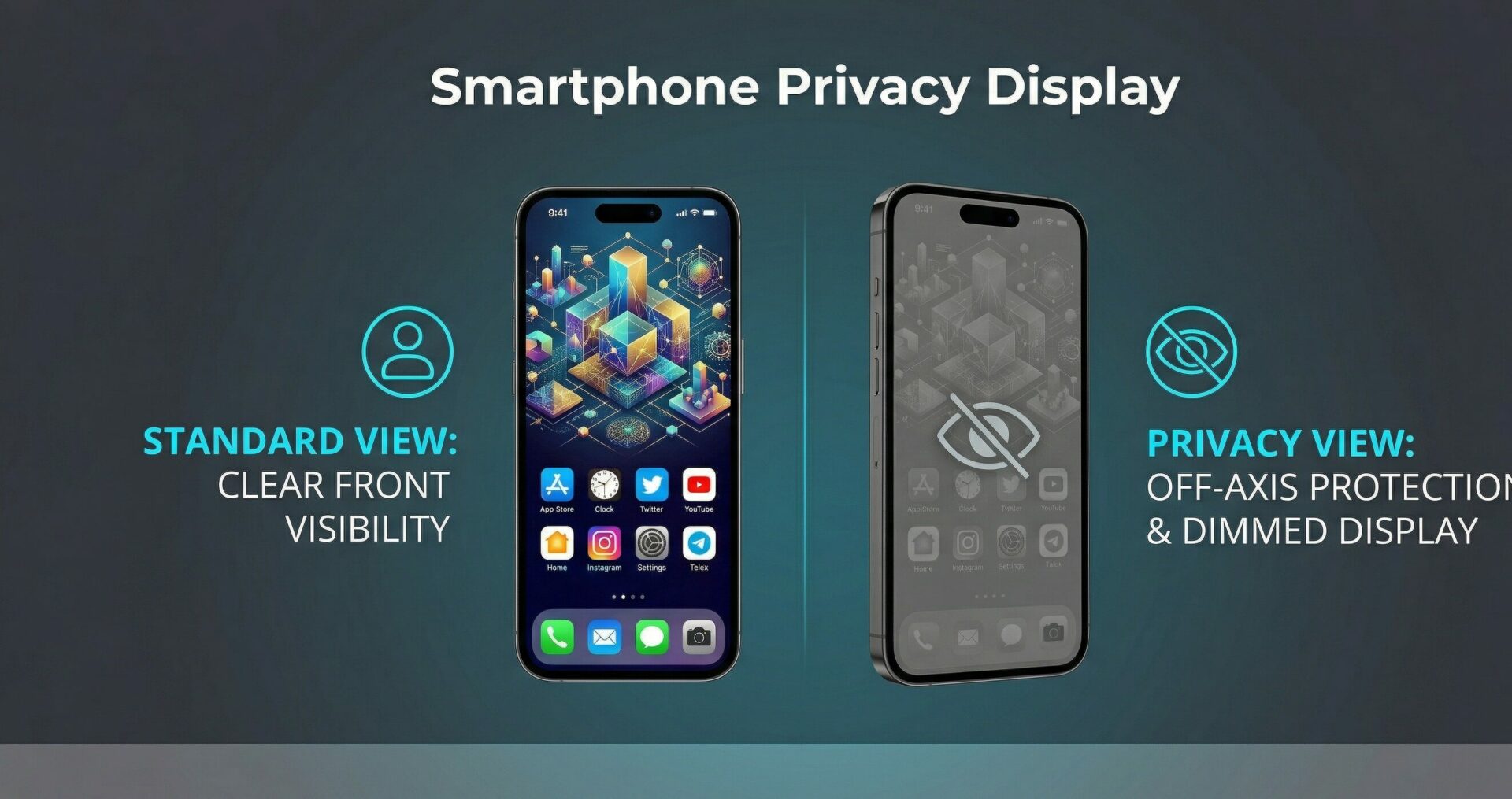
While a lot about the Galaxy S26 Ultra seems like it was ripped wholecloth from the S25 Ultra, the most significant new hardware-software feature here is something altogether groundbreaking: a built-in, software-controlled Privacy Display. When activated, this feature adjusts the display’s pixel alignment in such a way that drastically reduces the screen’s viewing angle. In other words, it makes it incredibly difficult for anyone to see what is on your screen while peeking over your shoulder or sitting next to you on public transit.
And, well, it works extremely well\! Testing this actively with other people proved that off-axis viewing is practically impossible. This is huge if you are constantly dealing with sensitive corporate information, financial documents, or if you simply have some nosy friends.
“The built-in software-controlled Privacy Display is a genuinely useful feature as well as altogether novel, protecting your sensitive information from wandering eyes.”
However, it is important to note the visual tradeoffs. While it is highly effective at obscuring the screen from strangers, having the Privacy Display turned on gives the screen a somewhat weird, grayish finish that visibly washes out a lot of the vibrant colors the AMOLED panel is known for. You can mitigate this annoyance by only enabling it when you receive a specific notification or restricting it to certain sensitive apps (like banking software), but it does make the phone a bit less pretty to look at when engaged.
If you are not dealing with highly classified data, you might find yourself turning this feature off after a week or so, as the dimmer, washed-out display can be a slight drag on the premium viewing experience. But if privacy is your main concern, that is a very small pill to swallow to protect your personal information. Either way, it is a genuinely useful feature and something many tech enthusiasts hope becomes a standard option on more phones going forward.
Performance and the Snapdragon 8 Elite Gen 5
Powered by the Qualcomm Snapdragon 8 Elite Gen 5, the Samsung Galaxy S26 Ultra is obviously going to be a blazing-fast phone. However, benchmarking and real-world usage suggest it seems to be tuned much more heavily for productivity and background processing than pure, unadulterated gaming. Because while the GPU inside the new chip is undeniably more powerful than last year, the CPU performance improvement really is the star of the show. This chipset also features a beefy, highly optimized NPU (Neural Processing Unit), which is the specific hardware that really helps all the local AI features on the phone feel incredibly snappy and responsive.
For instance, in Geekbench, which specifically tests pure CPU performance, the Samsung Galaxy S26 Ultra performed in line with dedicated performance devices like the Redmagic 11 Pro and OnePlus 15, which utilize the exact same chipset. In the single-core test, the S26 Ultra scored a massive 3517 points. In the multi-core test, the Samsung flagship reached an impressive 11229 points, notably outperforming the 10100 points scored by the OnePlus 15. For deeper technical specifications on the chipset architecture, you can review Qualcomm’s official hardware documentation.
| Benchmark Test | Samsung Galaxy S26 Ultra | OnePlus 15 |
|---|---|---|
| Geekbench (Single-Core) | 3,517 | 3,683 |
| Geekbench (Multi-Core) | 11,229 | 10,100 |
| Geekbench Vulkan (Graphics) | 28,270 | 27,972 |
| 3DMark Steel Nomad Light | 2,245 | 2,870 |
| 3DMark Wild Life Extreme | 5,758 | 7,111 |
Likewise, in the Geekbench Vulkan graphics test, the Galaxy S26 Ultra achieves 28270 points, edging out the OnePlus 15’s 27972 points. This specific metric is huge for intensive productivity tasks like on-device 4K video editing and rendering. However, the performance narrative completely reverses when we look at sustained gaming metrics in 3DMark.
The S26 is relatively stable in 3DMark, scoring 80.6% stability in the Steel Nomad Light stress test, meaning that over a grueling 10-minute burn, results only fluctuated by about 20%. But that is likely because the chip simply wasn’t being pushed as hard as it theoretically could have been by Samsung’s thermal management software. In the Steel Nomad Light test, the S26 Ultra only gathered 2245 points, compared to a much higher 2870 points from the OnePlus 15—a pretty massive 27% difference. Then, in the Wild Life Extreme test, the S26 Ultra secured 5758 points, compared to 7111 points from the OnePlus, resulting in about a 23% shortfall. Repeated testing across several system updates confirms that raw, sustained 3D gaming performance simply does not seem to be the S26 Ultra’s strongest suit.
That is absolutely not to say that the Galaxy S26 cannot play high-end games. Playing demanding mobile titles like Wuthering Waves or MTG Arena yields virtually zero noticeable performance slowdowns to the naked eye. Furthermore, like any other premium Galaxy phone released over the last couple of years, the S26 Ultra comes equipped with a dedicated gaming overlay. Swiping from the edge of the screen allows you to put the phone into a designated higher-performance profile, which heavily prioritizes frame rates over battery preservation.
Software Experience and Galaxy AI Evolution
For the last two or three years, Samsung has been making a massive marketing push regarding the AI features built directly into its Galaxy phones. In 2026, the AI integration is deeper, yet the day-to-day hype might still outpace the actual utility for the average consumer. Activating all the AI features during the initial phone setup yields a mixed bag of results—some incredibly useful, others surprisingly mundane.
The most obvious, front-facing AI feature is the Now Brief, which has been evolving for a couple of generations at this point. At a quick glance, it intelligently tells you what the next critical item on your calendar is. Clicking on it generates a personalized feed of news, weather updates, and YouTube videos the system calculates you will enjoy. However, the system’s “intelligence” still has blind spots; for instance, it might aggressively recommend Spotify playlists even if you exclusively use Apple Music on the device.
| Galaxy AI Feature | Primary Function | Real-World Utility Rating |
|---|---|---|
| Call Assist | Auto-screens unknown numbers and intercepts robocalls. | Excellent (Highly Effective) |
| Now Brief | Aggregates schedule, news, and media recommendations. | Moderate (Hit or Miss) |
| Live Translate | Real-time transcription and translation of phone calls. | Very Good |
| Generative Edit | Removes objects and fills backgrounds in photos. | Good (Standard implementation) |
Where Galaxy AI truly shines are the subtle, deeply integrated quality-of-life improvements. The absolute standout is Call Assist, which utilizes on-device AI to automatically screen incoming calls. Once enabled, the volume of intrusive robocalls drops to zero, and the system provides a highly accurate, handy little real-time transcript of any call it intercepts on your behalf. Beyond that, there is a wealth of generative tools designed to do everything from rewriting your text messages with different tones to intelligently editing out photobombers from your gallery. The real star of the show for Galaxy AI isn’t the flashy generative art; it is the mundane, everyday tasks like screening calls, translating foreign languages on the fly, and transcribing voice notes flawlessly.
Camera Performance: The 200MP Behemoth Returns
If you were expecting a massive overhaul in the optics department, you might be slightly disappointed, as not much has fundamentally changed for the Galaxy S26 Ultra’s camera array. You are still getting a staggering 200MP wide main shooter on the back, flanked by a 50MP ultrawide lens and a 50MP telephoto lens. This is practically the exact same physical layout found on the S25 Ultra from 2025. But in the world of smartphone photography, maintaining top-tier hardware while refining the software processing algorithm is not necessarily a bad thing at all.
Photos taken in daylight are incredibly nice, characteristically vibrant, and capture a mind-boggling amount of detail thanks to pixel-binning technology. Even in low-light and nighttime scenarios, the S26 Ultra surprises with how well it maintains intricate detail, even in the darkest, most shadow-heavy parts of the scene. Taking a photo of a brightly lit snow pile against a dark cityscape at night yields perfect exposure on the snow, while the distant, dimly lit background windows retain all of their structural detail, with practically zero visual noise introduced until you start pinching to zoom in aggressively.
| Camera Lens | Megapixels | Primary Use Case |
|---|---|---|
| Main (Wide) | 200MP | High-resolution everyday photography, pixel-binning, low light. |
| Ultrawide | 50MP | Landscapes, large group shots, tight architectural spaces. |
| Telephoto | 50MP | Optical zoom, portrait photography, distant subjects. |
| Front-Facing (Selfie) | 12MP | Video calls, selfies, facial recognition. |
The front-facing camera is undeniably less powerful on paper, utilizing a standard 12MP selfie lens. It is completely serviceable for video calls and social media, to be sure, but it does not take the absolute best photos in the industry, especially if you are not standing in optimal, flattering lighting. However, the background software processing on selfies isn’t overly extreme or aggressive, meaning faces don’t look artificially smoothed out. And, of course, if you want to tweak things, there are plenty of AI tools built directly into the camera and gallery apps to alter lighting, remove blemishes, and adjust depth of field after the fact.
Battery Life: An Endurance Champion
While the Galaxy S26 Ultra’s peak benchmark gaming performance might be considered a touch disappointing by hardcore mobile gamers, that conservative thermal tuning pays massive dividends in an area that matters to absolutely everyone: battery life. The battery endurance on this phone is nothing short of phenomenal.
“Even with exceptionally heavy daily use, you can confidently expect the S26 Ultra to last a good 30 hours before you ever need to plug it in again.”
With heavy, uncompromised use—which includes running the screen at 120Hz, using the Always-On Display, streaming high-definition video, navigating via GPS, and frequent camera usage—the S26 Ultra routinely lasts a full 30 hours from a 100% charge. For users who practice battery health techniques and rarely charge their phones up to full, the results are still staggering. Even when only charging the phone up to 50% or 60% before heading out for the day, the device easily powers through a strong 12 hours of use. And that is with the battery-draining Always-On display constantly active.
If you happen to be a bit more conservative with your screen brightness and app usage, you can very easily stretch the Galaxy S26 Ultra to last two full, unbroken days on a single, complete charge. Samsung’s official marketing claims that the phone can achieve 31 hours of battery life, and honestly, after spending an extensive amount of time with the device, it seems their marketing department was actually playing it a bit too safe. The power efficiency of the Snapdragon 8 Elite Gen 5 paired with Samsung’s background app management creates a genuine endurance champion.
Frequently Asked Questions
What is the most significant new feature on the Samsung Galaxy S26 Ultra?
The biggest new feature is the built-in, software-controlled Privacy Display, which drastically reduces the viewing angle to prevent people from looking over your shoulder and seeing your screen.
How long does the battery last on the Galaxy S26 Ultra?
With heavy usage, the phone easily lasts up to 30 hours. With more conservative use, you can confidently get up to two full days of battery life on a single charge.
Does the Galaxy S26 Ultra have a new camera setup?
No, the physical camera hardware is largely identical to the S25 Ultra, featuring a 200MP main lens, 50MP ultrawide, and a 50MP telephoto lens. However, software and AI processing have been refined.
Is the Snapdragon 8 Elite Gen 5 good for mobile gaming?
While the chip handles modern games with ease, benchmark tests show the S26 Ultra is thermally tuned more for sustained productivity and battery life rather than peaking high frame rates in extreme gaming scenarios compared to dedicated gaming phones.
Does the S26 Ultra still come with an S-Pen?
Yes, the S-Pen remains a staple of the Ultra series and is safely housed in a dedicated slot on the bottom left corner of the device.
Can I expand the storage on the S26 Ultra with a microSD card?
No, the Galaxy S26 Ultra does not feature a microSD card slot for expandable storage. You must choose your desired storage capacity at the time of purchase.
Are the Galaxy AI features actually useful on a daily basis?
The most genuinely useful AI features are the subtle ones running in the background, specifically Call Assist for screening robocalls and real-time live translation for phone calls and audio.
Disclaimer: This article is for informational purposes only and is based on tech reviews, benchmark tests, and public specifications available as of the device’s launch. Performance metrics may vary based on user habits and software updates.