Moving is stressful enough without the dreaded “bill shock” waiting for you in month 13 of your new internet plan. If you’re stuck choosing between Cox and Xfinity at your new address, you’re not alone. We know exactly what you’re afraid of: hidden fees disguised as mandatory equipment rentals, data caps that throttle your family’s streaming, and promotional rates that secretly double after your first year. In this definitive cox vs xfinity internet comparison, we’re cutting through the marketing fluff to give you the transparent, no-BS reality of what both providers actually offer.
Quick Verdict – Cox vs Xfinity at a Glance
Overall Winner and Who Should Pick Which
When it comes down to it, Xfinity takes the crown. Recently, Xfinity completely overhauled its pricing structure—eliminating data caps entirely for most new national plans and offering highly predictable 1-year and 5-year price guarantees. Cox, on the other hand, still relies heavily on 1.25 TB data caps and steep Year 2 price hikes (often jumping $25 to $50 a month once your promo ends).
- Pick Xfinity if: You want transparent pricing, unlimited data included, and faster upload speeds for reliable remote work.
- Pick Cox if: You happen to live in one of their limited 100% fiber-to-the-home neighborhoods, or if they are the absolute only provider in your area offering a massive short-term signup promo.
One-Sentence Verdict by Scenario
- Streamers: Xfinity wins hands down because their new plans include unlimited data—say goodbye to overage anxiety during your 4K binges.
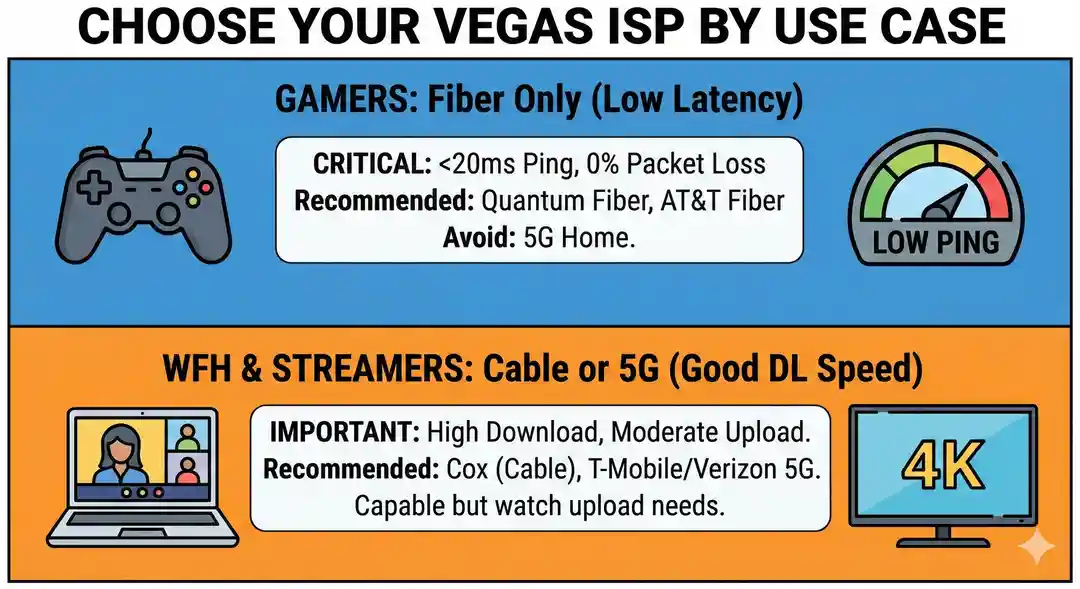
- Gamers: Xfinity’s upgraded network offers better latency and significantly faster upload speeds than Cox’s standard coaxial network.
- Remote Workers: Xfinity’s 100–200 Mbps upload speeds in enhanced areas make Zoom calls far more stable than Cox’s typical 10–35 Mbps uploads.
- Budget Movers: Xfinity offers a clear 5-year price lock on their 300 Mbps tier, ensuring your bill stays exactly the same long after the moving boxes are unpacked.
How Cox and Xfinity Actually Compete
To find out which internet service provider deserves your hard-earned money, we evaluated the metrics that actually impact your wallet and daily life:
- Hidden Fees & Equipment: Xfinity’s new national plans bake the gateway rental right into the advertised price, whereas Cox often charges an additional $13 to $15 per month for their Panoramic WiFi router.
- Year 2 Pricing: Cox is notorious for massive rate hikes once your 12- or 24-month promotional period ends. Xfinity now offers transparent 1-year or 5-year guaranteed pricing, effectively eliminating sudden bill shock.
- Data Caps: This is the ultimate dealbreaker. Xfinity recently dropped data caps on its primary broadband packages. Cox still strictly enforces a 1.25 TB data cap, punishing you with a $10 charge for every 50 GB you go over (up to a $100 maximum per month).
- Customer Service: Both suffer from the typical “big cable” reputation, but Xfinity’s app and self-service troubleshooting tools are generally better rated for resolving outages without forcing you to call an agent.
Head-to-Head: Speeds and Performance
Both ISPs deliver internet primarily through hybrid fiber-coaxial (HFC) networks, meaning they run fiber to your neighborhood and older copper cable to your living room. Here is how their speeds actually stack up.
Compare Speed Tiers (300–2,000 Mbps)
When comparing xfinity vs cox speeds, their download tiers look nearly identical on paper:
- Budget Tiers: Both offer around 300 Mbps for basic browsing, smart home devices, and streaming.
- Mid-Tiers: Both feature heavily promoted 500 Mbps and 1,000 Mbps (1 Gig) plans for modern families.
- Ultra-Fast: Both max out at 2,000 Mbps (2 Gig) for hardcore power users and heavy downloaders.
Real-World Performance: What 300 vs 1,000 Mbps Actually Feels Like
Internet providers love to upsell gigabit speeds, but the truth is, most households don’t need 1,000 Mbps. At 300 Mbps, a family of four can stream Netflix in 4K, run two simultaneous video calls, and scroll social media without a single buffer. The only time you will actually feel the difference of a 1,000 Mbps plan is when downloading massive 100GB+ PlayStation or PC games, which will take 15 minutes instead of an hour. Always verify your actual speeds using tools like Speedtest.net.
Compare Upload Speeds and Latency
This is where the paper promises meet reality. Download speeds are great for watching movies, but upload speeds are what actually matter for remote work, video conferencing, and gaming latency.
- Cox: On their standard cable network, Cox upload speeds are notoriously sluggish, often bottlenecking between 10 Mbps and 50 Mbps.
- Xfinity: Xfinity has actively rolled out “mid-split” network upgrades across the country, pushing their upload speeds to a much healthier 100 Mbps to 200 Mbps in many markets.
Speed Winner: Xfinity. With far more robust upload speeds and a better track record of delivering advertised speeds during peak evening hours, Xfinity easily edges out Cox in raw, real-world performance.
Head-to-Head: Pricing and True Monthly Cost
When evaluating cox vs xfinity pricing and fees, looking at the advertised promotional sticker price is a rookie mistake. Cable companies bank on the fact that once you go through the hassle of installing their service, you won’t cancel when the bill magically inflates a year later. Here is how their pricing models actually work behind the scenes.
Promo Pricing vs. Regular Pricing (The Year 2 Trap)
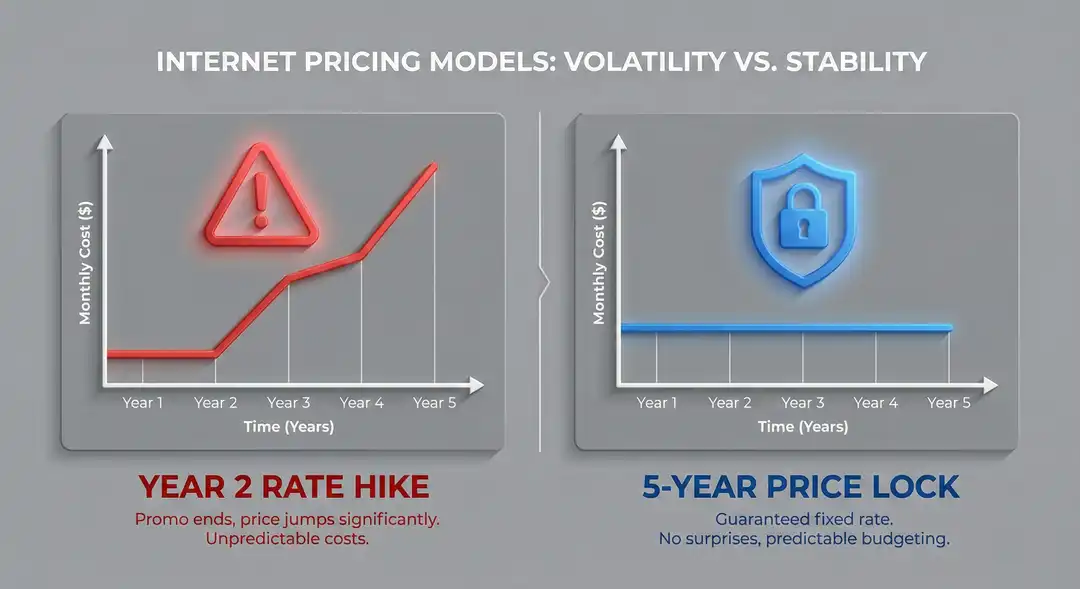
Cox relies heavily on the traditional cable playbook: offer a massive discount for the first 12 to 24 months, and then quietly raise the rate. Once your Cox promo expires, you can expect your internet bill to jump by $30 to $40 per month. Xfinity has shifted away from this outdated model in many regions. Their current pricing structure favors 1-year and 5-year price-lock guarantees. If you sign up for Xfinity’s $55/month tier on a price-lock, you know exactly what you will be paying long after the honeymoon phase ends.
Equipment and Installation Fees
Unless you buy your own compatible modem and router, you will need to rent equipment. Cox charges $15 per month for their Panoramic WiFi gateway, though they occasionally waive this for the first year during special promos. Xfinity’s newest national plans actually bake the cost of the xFi Gateway directly into the advertised price, meaning zero surprise rental fees on your bill. For installation, both providers typically charge around $100 for a technician visit, but both make it incredibly easy to waive this fee by opting for a free self-installation kit during checkout.
24-Month Total Cost Comparison (The Truth)
To expose the real “bill shock,” we mapped out what you will actually pay over two years for the most popular mid-tier and premium plans. Note: Prices reflect average national baselines; local market taxes and temporary regional promos may cause slight variations.
| Provider | Speed Tier | Year 1 Price (Promo) | Year 2 Expected Price | Equipment Fee | Data Cap |
|---|---|---|---|---|---|
| Xfinity | 500 Mbps | $55/mo | $55/mo (with Price Lock) | Included in price | Unlimited |
| Cox | 500 Mbps | $70/mo | $105/mo (Promo ends) | $15/mo | 1.25 TB |
| Xfinity | 1 Gbps | $70/mo | $70/mo (with Price Lock) | Included in price | Unlimited |
| Cox | 1 Gbps | $100/mo | $135/mo (Promo ends) | $15/mo | 1.25 TB |
Head-to-Head: Data Caps, Overage Fees, and Unlimited Options
If there is one section of this guide you pay attention to, make it this one. The battle of xfinity unlimited data vs cox data cap is the single biggest differentiator between these two ISPs.
The Cox 1.25 TB Data Cap Explained
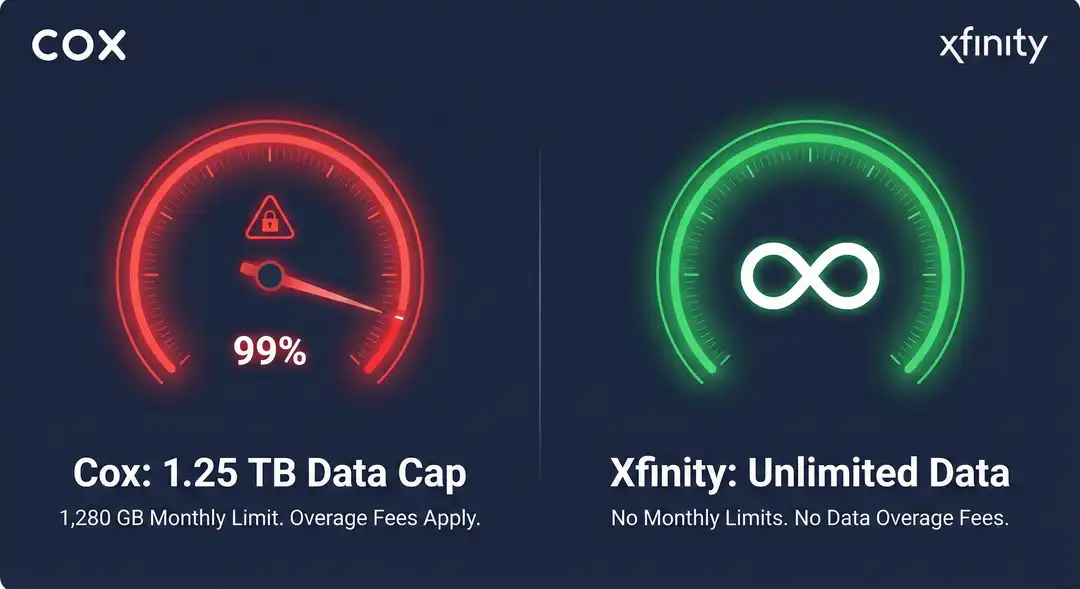
Cox strictly enforces a 1.25 TB (1,280 GB) data cap on all of its standard residential internet plans. If you exceed this limit, Cox automatically slaps a cox 1.25 tb data cap overage fee on your account: $10 for every 50 GB you go over, up to a painful maximum of $100 per month. If you want unlimited data on Cox, you have to pay a flat $50/month add-on fee just for the privilege of not being metered.
Real-World Example: Think 1.25 TB is impossible to hit? If you have a family of four where the parents work from home on Zoom, the kids download a massive 150 GB PlayStation update, and the family streams Netflix in 4K for just four hours every evening, you will completely blow past that 1.25 TB limit by the third week of the month. Welcome to overage fee territory.
Xfinity’s Unlimited Policy
Xfinity finally listened to consumer outrage and dropped data caps on its newest primary plans. If you sign up for their modern pricing tiers, unlimited data is included by default. No counting gigabytes, no rationing your 4K movie nights toward the end of the month, and zero overage anxiety.
Winner for Heavy Users: Xfinity. Unless you live alone and only use the internet to check email, a hard data cap in the modern era of 4K streaming and massive video game downloads is unacceptable. Xfinity wins this category effortlessly.
Head-to-Head: Contracts, Flexibility, and Moving
Moving is unpredictable. You might sign a lease for a year, buy a house, or need to relocate for work suddenly. Flexibility matters.
- Contract Options: Xfinity’s new price-lock guarantees generally do not require a restrictive term contract, meaning you get the locked-in price without being held hostage. Cox usually requires a 1-year or 2-year term agreement to get their lowest promotional pricing.
- Early Termination Fees (ETFs): If you are locked into a Cox contract and need to move to a neighborhood they don’t service, you will be hit with an Early Termination Fee. This is usually calculated at $10 for every month remaining on your contract. Because Xfinity’s newest plans are largely no-contract, you can cancel or move your service at any time without a penalty fee.
- Best for Renters: Xfinity is the undeniable winner for renters. The combination of no annual contracts, simple self-installation, and transparent month-to-month flexibility means you can pack up and move without getting penalized by the cable company.
Cox vs Xfinity: Best Choice by Use Case
If you’re still on the fence, let’s break down the reality of how these providers handle specific household needs. Here is the no-nonsense breakdown of who actually wins in these real-world scenarios:
- Heavy 4K Streaming Families: Xfinity. Modern households can easily chew through hundreds of gigabytes a week just by streaming Netflix and Disney+ in 4K. Because Xfinity’s newer plans include unlimited data, they are the clear winner. Cox’s 1.25 TB cap is a ticking time bomb for heavy streaming families.
- Gamers and Twitch Streamers: Xfinity. Modern games regularly exceed 100 GB per download, and streaming to Twitch requires rock-solid upload speeds. Xfinity’s ongoing “mid-split” network upgrades provide significantly faster upload speeds and lower latency, while their lack of data caps means you won’t get penalized for downloading a massive Call of Duty patch at the end of the month.
- Remote Workers (Zoom/VPN): Xfinity. When you’re sharing your screen on a Zoom call or accessing a corporate VPN, your download speed doesn’t matter nearly as much as your upload speed. Xfinity’s 100+ Mbps upload tiers provide the headroom needed for flawless video conferencing, whereas Cox’s standard 10–35 Mbps uploads can lead to frozen screens and robotic audio.
- Budget and Low-Income Users: Tie. If you are on a strict budget, both companies offer federally subsidized or low-income tiers. Cox ConnectAssist provides 100 Mbps internet for around $30/month (including a modem) with no credit checks or term contracts, making it an excellent lifeline. Xfinity offers a nearly identical program called Internet Essentials. Both are fantastic, honest options for qualifying households.
The “No Surprises” Checklist Before You Choose
Never take an ISP sales rep at their word without verifying the fine print. Before you hand over your credit card or sign a contract for your new home, run through this ruthless checklist:
- What is the exact “Year 2” price? Force the rep to tell you the standard retail rate. If the promo is $60/month, ask, “Exactly how much will this cost in month 13?”
- Is there a hard data cap? Confirm whether you are subject to a 1.25 TB cap and exactly how much the overage fees are. Get it in writing.
- Can I waive the installation fee? Never pay $100 for a technician to plug in a router. Insist on a free self-installation kit. If the home has had cable internet before, you can do it yourself in ten minutes.
- Buying vs. Renting a Modem: Both ISPs will push you to rent their proprietary gateways for $14 to $15 a month. That’s nearly $180 a year! Unless the rental is permanently baked into your base price (like some new Xfinity plans), buy your own DOCSIS 3.1 modem and a quality mesh Wi-Fi router. It pays for itself in less than a year and provides better Wi-Fi coverage anyway.
FAQs – Cox vs Xfinity
Is Cox or Xfinity cheaper after the first year?
Generally, Xfinity is cheaper after the first year. Xfinity has pivoted toward 1-year and 5-year price-lock guarantees that offer much more stability. Cox still relies heavily on the old-school model of offering a low teaser rate that spikes by $30 to $50 a month once your initial promotional contract expires.
Which provider is better for unlimited data?
Xfinity is the undisputed winner for unlimited data. In many regions, Xfinity has completely dropped data caps on its primary plans. Cox, meanwhile, strictly enforces a 1.25 TB cap on its standard residential plans and charges an exorbitant $50 per month extra if you want to upgrade to unlimited data.
Can I switch from Cox to Xfinity without downtime?
Yes, but you need to overlap your service dates. If you work from home, do not cancel your Cox service until your new Xfinity equipment is plugged in, activated, and successfully broadcasting Wi-Fi. Schedule your Xfinity activation a few days before your Cox billing cycle ends to ensure a seamless, stress-free transition.
Final Decision – How to Pick the Right One for Your Next Home
Choosing between Cox and Xfinity shouldn’t feel like a gamble. Follow this simple decision flow to protect your wallet:
- Check the Address: ISP footprints rarely overlap perfectly. Plug your exact new address into the FCC National Broadband Map to see if you actually have a choice between the two.
- Audit Your Data: Look at your current router’s app or your old ISP bill to check your monthly data usage. If you regularly use over 1,000 GB (1 TB), run away from Cox unless you are willing to pay the $50 unlimited premium.
- Look Past the Promo: Ignore the flashy “$50/mo for 12 months!” banners. Look strictly at the “Standard Rates” hidden in the legal disclosures. Choose the provider that fits your budget in Year 2, not just Year 1.
- Opt for Self-Install: Order your service online, select self-installation, and bring your own router.