If you’re trying to unlock your phone and keep seeing the frustrating “AT&T device unlock request denied” message, you are not alone. Thousands of users face this hurdle every month when they try to switch providers, travel abroad, or sell their devices for a better price.
In many cases, the solution is straightforward. If you understand AT&T’s specific rules, how to navigate the official att unlock website, and what to do when your request is rejected, you can resolve the issue quickly.
Key Takeaways: Quick Fixes for Denied Requests
Check your balance: AT&T will instantly deny your request if the phone isn’t fully paid off.
Follow instructions carefully: A single typo in your IMEI or missing the email confirmation window will cancel your request.
Alternative networks: If you can’t unlock it right now, a locked AT&T phone will often work seamlessly on Cricket Wireless without needing an unlock code.
This guide walks you through the real reasons your request was rejected and shows you exactly how to fix each situation safely and legally.
Main Reasons AT&T Denies Your Device Unlock Request
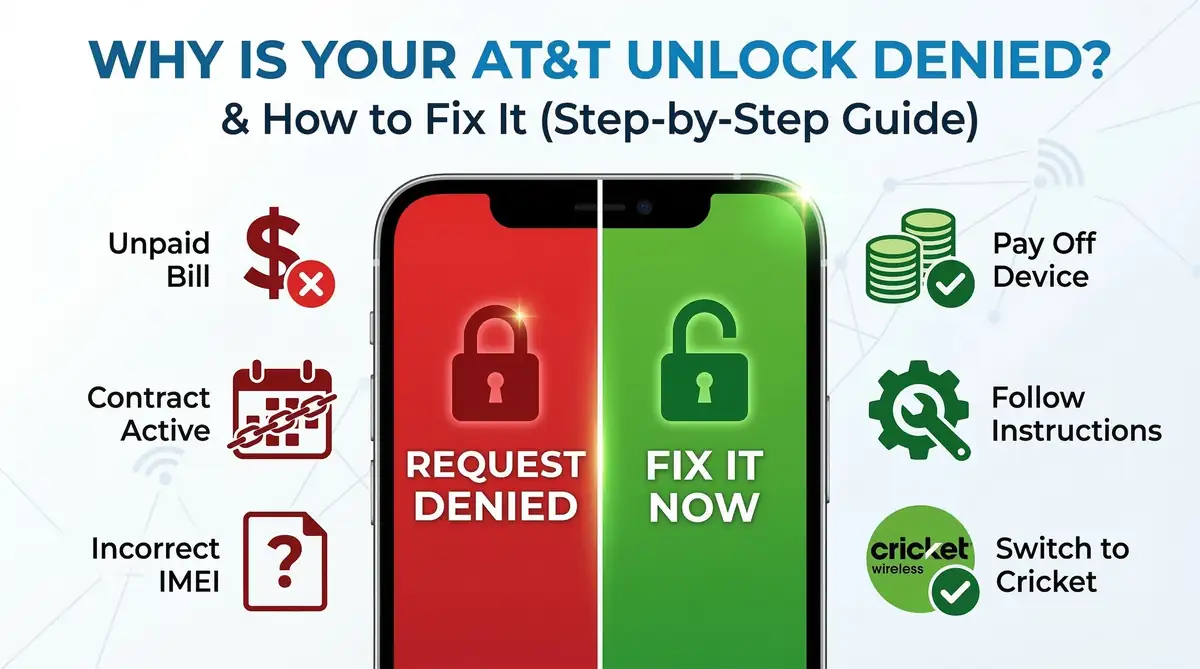
AT&T does not unlock phones automatically in every situation. Instead, it uses strict eligibility criteria that your device and your account must meet before your att device unlock request is approved. In practice, most denials fall into a few predictable categories:
-
The phone is not fully paid off or has an outstanding balance.
-
The line is still under contract or within an installment/commitment period.
-
The device hasn’t been active on the AT&T network long enough (typically 60 days for postpaid).
-
The IMEI is reported lost, stolen, or associated with fraud.
-
You submitted incorrect information on the portal or didn’t confirm the request via email.
Understanding which category you fall into is the key. Once you know why AT&T said “no,” you can either fix the underlying problem or choose a safe alternative route.
What to Do if the Phone Is Not Fully Paid Off
This is one of the most common and most frustrating reasons for denial. If you need to unlock an AT&T phone that’s not paid off, the automated system will block your request immediately. This frequently happens to users who buy a second-hand device online, only to realize they need to unlock an unpaid AT&T iPhone without having access to the original owner’s account.
Furthermore, if the device has an AT&T phone unpaid bill attached to it from a previous billing cycle, it will not be eligible for a free, official unlock. Here’s how to approach this situation:
1. Check your installment balance and status
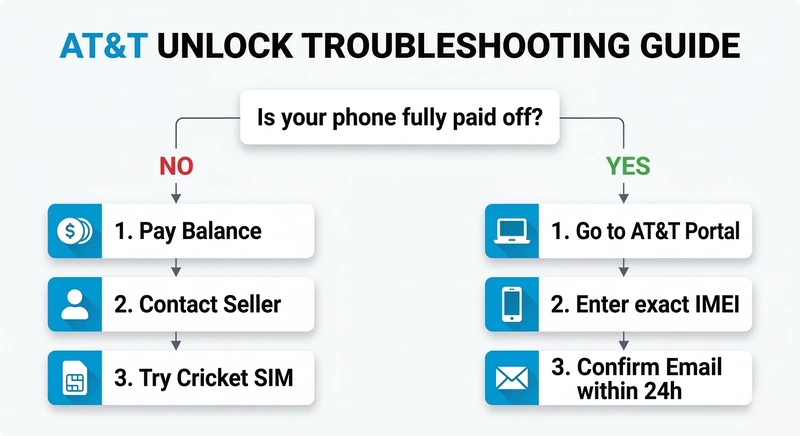
Log in to your AT&T account and look at the installment plan details. Confirm the remaining device balance and ensure the account itself is in good standing (no suspended service for non-payment). If you are the account holder, the fastest path to an approval is to pay off the device balance completely.
2. If you bought a used, unpaid device
Before spending money on third-party solutions, run the IMEI through a free carrier-check tool to confirm it’s not blacklisted. Contact the seller and ask them to pay off the remaining balance or submit the unlock request on your behalf. According to the FCC’s official guidelines on cell phone unlocking, carriers are only obligated to unlock devices once the contract has been fulfilled or the device is paid in full.
3. Consider paid unlocking services (with caution)
If you cannot reach the original owner and desperately need to use the phone on another network, some reputable third-party unlock services specialize in unpaid devices. However, treat this as a last resort. These services charge a premium, and the phone could be re-locked in the future if the original account goes into severe delinquency.
Incorrect Use of the AT&T Unlock Portal
Even when your device is completely eligible, your request can be denied simply because of a small typo. Many users rush through the online form and fail to follow the att com deviceunlockinstructions precisely.
To avoid automated rejections, make sure you do the following:
-
Use the official portal: Always submit your request directly through the official AT&T portal.
-
Double-check your IMEI: Type the IMEI exactly as it appears in your phone’s settings (dial *#06# to find it), not from the original box.
-
Select the right customer status: If you are an AT&T customer, log in. If you bought the phone used and use a different carrier, make sure to select the “Not an AT&T customer” option.
-
Confirm the email: This is the #1 reason for cancelled requests. AT&T will send you a confirmation link that expires in 24 hours. If it goes to your spam folder and you don’t click it, the unlock is automatically denied.
Using Locked AT&T Phones on Other Carriers (Like Cricket)
If you are tired of dealing with errors and waiting periods, there is a very popular workaround. Many users don’t realize that they might not need an unlock at all if they plan to stay within the same network family.
For instance, if you want to use a locked AT&T phone on Cricket, you are usually in luck. Because Cricket Wireless is owned by AT&T and uses the exact same cell towers, most AT&T-locked devices will accept a Cricket SIM card right out of the box.
How to test it:
-
Insert an active Cricket SIM into your locked AT&T device.
-
Restart the phone.
-
If the phone connects to the network and you can make calls and use data, you don’t need to unlock it right now.
Note: While this works for Cricket and some other AT&T MVNOs, getting the device officially unlocked is always the best long-term strategy for maximizing its resale value and ensuring compatibility with networks like T-Mobile or Verizon.
Final Thoughts
Having your AT&T device unlock request denied is a temporary setback, not a dead end. By identifying the exact reason for the rejection whether it’s an unpaid balance, a missed email confirmation, or an active contract you can take the right steps to free your device.
Have you encountered a different error message on the unlock portal? Let us know in the comments below, and we’ll help you troubleshoot it!