When searching for the access.att.com login, you are looking for the portal that allows you to manage various AT&T services. access.att.com is primarily used for AT&T Access ID management, which is the single username and password (user ID) you use to log in and manage most of your AT&T accounts online.
This comprehensive guide will explain the primary function of your AT&T Access ID, where you should log in to manage your services, and detail the separate, affordable service known as Access from AT&T.
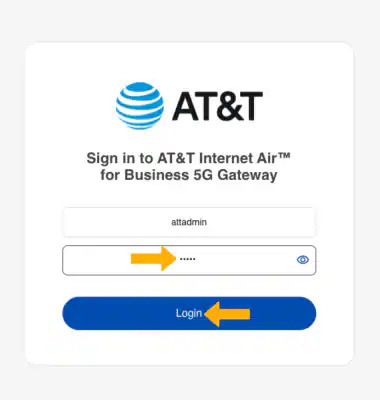
What is the AT&T Access ID and What Does it Control?
The AT&T Access ID is your universal online identity for multiple AT&T services. It’s a unified login credential designed to simplify your digital life across the AT&T ecosystem.
The core purpose of the AT&T Access ID is to give you a single point of entry to manage all linked services. Instead of remembering a separate login for your wireless, internet, and business accounts, the Access ID links them all under one master credential.
Key Functions of the AT&T Access ID Login
Your Access ID allows you to log into major online account management sites, most notably myAT&T. Once logged in, you can perform a variety of essential actions:
- View and Pay Bills: Access current statements and payment history for all linked services (wireless, internet, TV).
- Account Management: Update contact information, change service plans, and set up auto-pay.
- Service Upgrades: Upgrade wireless devices or change your internet speed tier (e.g., to AT&T Fiber).
- Manage Multiple Accounts: Handle personal and small business accounts under a single profile.
The Correct Login Portal: myAT&T
While access.att.com is an organizational domain for the AT&T Access ID, the most common and current customer-facing login portal is myAT&T.
If you are a consumer or small business customer looking to manage your services, you should navigate directly to the myAT&T portal on the main AT&T website or use the myAT&T mobile app.
How to Log into Your AT&T Account
- Go to the myAT&T login page.
- Enter your AT&T Access ID (which may be your email address, phone number, or a custom user ID).
- Enter your password.
- If you have forgotten your ID or password, follow the on-screen links to reset your credentials.
Understanding “Access from AT&T” (The Affordable Internet Program)
The term “Access” in the AT&T domain can also refer to a specific, separate program: Access from AT&T. This is a low-cost, subsidized home internet program designed to help bridge the digital divide for eligible limited-income households.
This is not a login portal itself, but rather the name of the program.
Key Details of the Access from AT&T Program
| Feature | Details |
| Purpose | Provides reliable, low-cost home internet service. |
| Cost | Services often start at a low monthly rate (e.g., $30/mo.) and may be free if combined with the federal Affordable Connectivity Program (ACP). |
| Eligibility | Qualification is based on household income (e.g., below 200% of federal poverty guidelines) or participation in government assistance programs like SNAP, SSI, Medicaid, WIC, or LIHEAP. |
| Equipment & Fees | Includes in-home Wi-Fi and installation, with no equipment fees, no deposit, and no annual contract required. |
To check availability and apply for this service, you would typically visit the specific program page on the AT&T website (often found at att.com/access), which is separate from the customer login portal.
Business vs. Consumer Logins
The AT&T Access ID primarily directs consumer users to the myAT&T portal. However, AT&T also maintains separate specialized portals for business customers, which may use a similar Access ID for entry:
| Business Portal Name | Primary Function | Target Audience |
| myAT&T for Business | Manage wireless and internet for small businesses (20 or fewer employees). | Small Business Customers |
| Premier | Manage wireless accounts, view usage, and upgrade devices for large organizations. | Enterprise Customers (25+ mobile users) |
| Business Center / BusinessDirect | Manage complex wireline services, ordering, inventory, billing, and trouble ticketing. | Enterprise/Large Corporate Customers |
If your login attempt at access.att.com is for a business account, you may be redirected to one of these specialized business portals.
Frequently Asked Questions
- What should I do if my AT&T Access ID login is not working?
If your AT&T Access ID is not working, first confirm you are using the correct credentials. Use the “Forgot ID” or “Forgot Password” link on the main myAT&T login page. You will typically be asked to enter your phone number or account number to verify your identity and reset your credentials.
- Is the AT&T Access ID the same as my U-Verse or wireless account number?
No. Your AT&T Access ID is a username you create to log in online, while your U-Verse or wireless account number is a unique numeric identifier for your billing account. You use the Access ID to manage the account number online.
- Can I use the AT&T Access ID to log into my AT&T email (att.net) account?
Yes. Your AT&T Access ID is designed to provide seamless access to various AT&T-related services, which includes your att.net email account (powered by Yahoo). Using the Access ID helps consolidate your credentials across these linked platforms.
- How do I get an AT&T Access ID if I’m a new customer?
If you are a new AT&T customer, an AT&T Access ID is usually created for you during the initial setup of your service (wireless, internet, or TV). You will be prompted to choose a unique ID and secure password during the account registration process.
Conclusion
The access.att.com login refers to the system that verifies your AT&T Access ID, which is your master login for all AT&T consumer and most small business services. For day-to-day management of your account, bill payments, and service changes, the official portal to use is myAT&T. If you are looking for the affordable home internet plan, search for the Access from AT&T program details instead of a login. Always use the secure myAT&T portal to ensure your account information remains protected.