If you are putting together your ultimate 2026 macbook buyers guide, understanding the real-world limits of Apple’s entry-level machines is absolutely essential. For the past month, I have swapped out my powerful, work-issued MacBook Pro for the highly anticipated, budget-friendly MacBook Neo. I wanted to see if a cheaper MacBook could keep up with my fast-paced, “too-many-tabs” lifestyle. The results were a fascinating mix of impressive hardware achievements and frustrating software bottlenecks that every potential buyer needs to know about.
The Highs of Apple’s Budget Tech
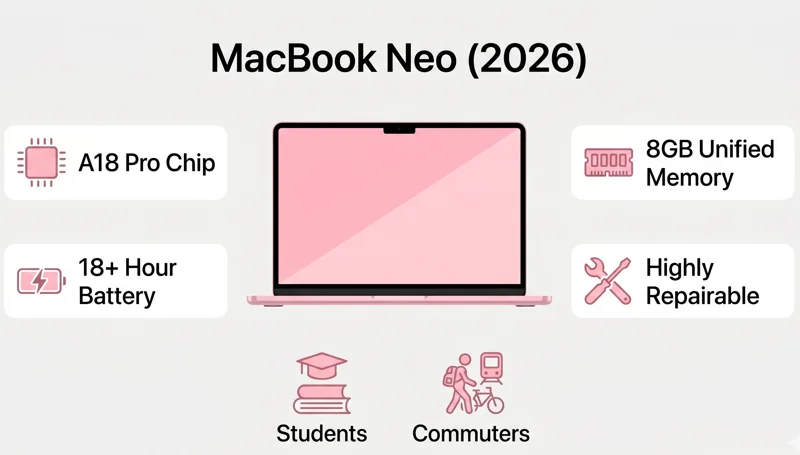
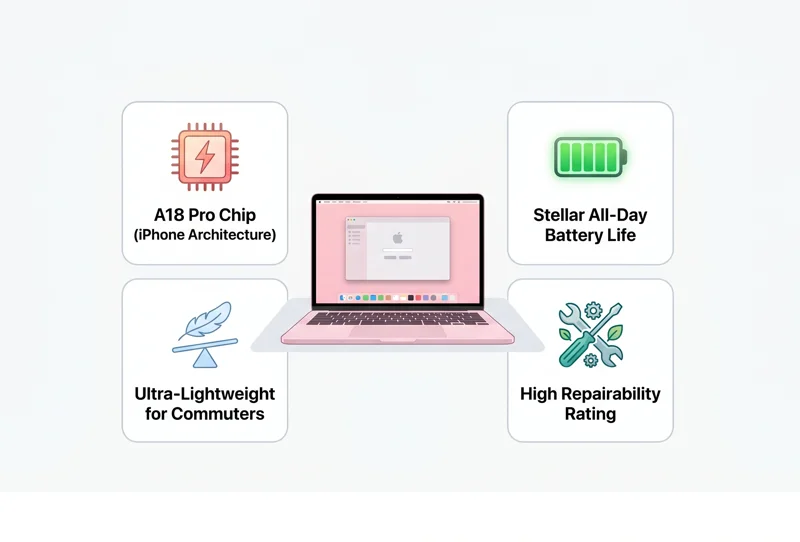
The MacBook Neo represents a massive shift in Apple’s hardware strategy. For the very first time, a MacBook is being powered by an iPhone processor—specifically, the A18 Pro chip. At first glance, you might assume this would result in sluggish performance, but my overall experience during this one-month test has been incredibly impressive. For day-to-day tasks, the Neo handles nearly every program I need with surprising efficiency.
Beyond the processor, the design language is a triumph. It is remarkably lightweight, making it an absolute joy to carry around during my daily commute. The battery life is stellar, easily lasting through a full day of meetings and writing sessions without needing a charge. And yes, the pink colorway is undeniably cute. As a starter machine or a secondary travel companion, the Neo hits almost all the right notes.
| Specification | MacBook Neo Details |
|---|---|
| Processor | A18 Pro Chip |
| Unified Memory (RAM) | 8GB Standard |
| Target Demographic | Students, Writers, Commuters |
| Notable Feature | Highest repairability rating in years |
The MacBook Neo proves that an iPhone processor can run a desktop OS beautifully, but it cannot defy the physical limits of hardware memory.
The Breaking Point and Final Verdict
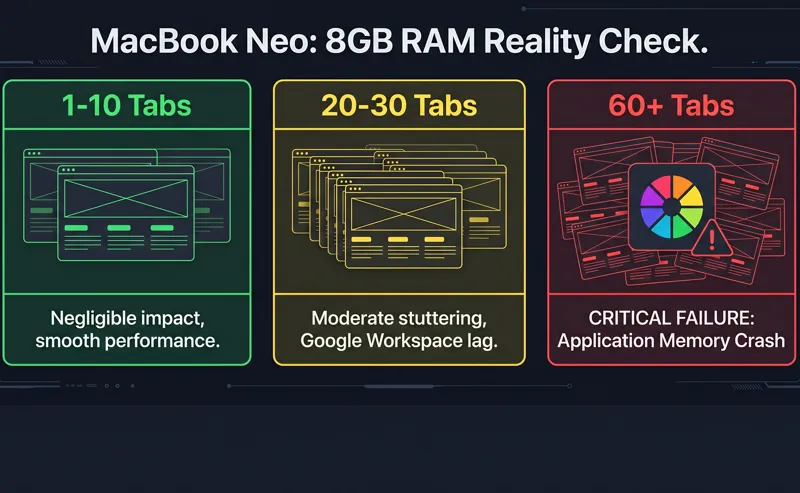
However, no budget laptop is without its trade-offs. I did not need to do heavy 4K video editing or complex AI prompting to push the Neo to its limits. All it took for me to crash Apple’s hot-selling budget MacBook was my disorganized habit of opening too many Safari tabs. With about 64 tabs open, give or take, the cracks began to show.
Every so often, annoying lags would appear when jumping between tabs, especially when several Google Workspace tools were open simultaneously. Last week, I pushed it too far while researching. The heavy tab load choked up the laptop’s meager 8 gigs of RAM. Everything came to a sudden halt, the dreaded spinning color wheel appeared, and a system pop-up warned me that I had run out of application memory. I was forced to quit programs manually just to bring the machine back to life.
| Browsing Activity | Impact on 8GB RAM |
|---|---|
| 1-10 Static Tabs | Negligible, smooth performance |
| 20-30 Tabs (Mixed Media) | Moderate, occasional stuttering |
| Google Cloud Suite Active | High memory drain, noticeable lag |
| 60+ Tabs & Workspace Apps | Critical failure, application memory crash |
I managed to recreate the crash on camera for my weekly segment, proving it was not just a fluke. This makes me wonder if other users downgrading from more powerful MacBooks will experience the same wonky moments. If you want to compare how the Neo stacks up against the heavier Pro models, you can review the hardware differences on Apple’s official Mac lineup page.
While it choked under the weight of my disorganized browsing habits, the Neo remains Apple’s most repairable and travel-friendly laptop in ages.
All that said, I still firmly believe the Neo is a fantastic starter MacBook and a great secondary travel machine. It is also Apple’s most repairable laptop in ages. I am packing my Neo for another trip this week without a second thought. But it has forced me to consider working a little differently—managing my workflow better, and maybe, just maybe, closing a few tabs.
| Pros of MacBook Neo | Cons of MacBook Neo |
|---|---|
| Highly portable and lightweight | Strict 8GB RAM limitation |
| Excellent battery efficiency | Struggles with heavy multitasking |
| Very easy to repair | Not suited for demanding professional software |
Frequently Asked Questions
What processor does the MacBook Neo use?
The MacBook Neo utilizes the A18 Pro chip, which is the same highly efficient processor originally designed for the iPhone.
Is 8GB of RAM enough for the MacBook Neo?
It is perfectly fine for single-tasking, writing, and casual browsing. However, it is not enough for heavy multitasking or keeping dozens of tabs open.
Why did Safari crash on the Neo?
Having over 60 tabs open, alongside heavy Google Workspace applications, completely drained the available 8GB of application memory, forcing a system freeze.
Is the MacBook Neo good for video editing?
It is not recommended for heavy 4K video editing. It is built primarily for basic productivity, research, and web-based tasks.
Who should buy the MacBook Neo?
It is the best starter MacBook for students, frequent commuters, and anyone needing a highly portable secondary laptop for light work.
Is the MacBook Neo easy to repair?
Yes, it has been noted as Apple’s most repairable laptop in years, making it a great sustainable option.
Will I experience lag on the Neo?
You will experience annoying lags only if you push the machine beyond its limits, such as rapidly switching between dozens of active browser tabs.
Disclaimer: This article is for informational purposes only and is based on a one-month personal review. Individual performance may vary based on specific usage habits and software demands.